DJI Osmo Mobile 8P vs Osmo Mobile 6: Phone Gimbals Got Stupidly Good
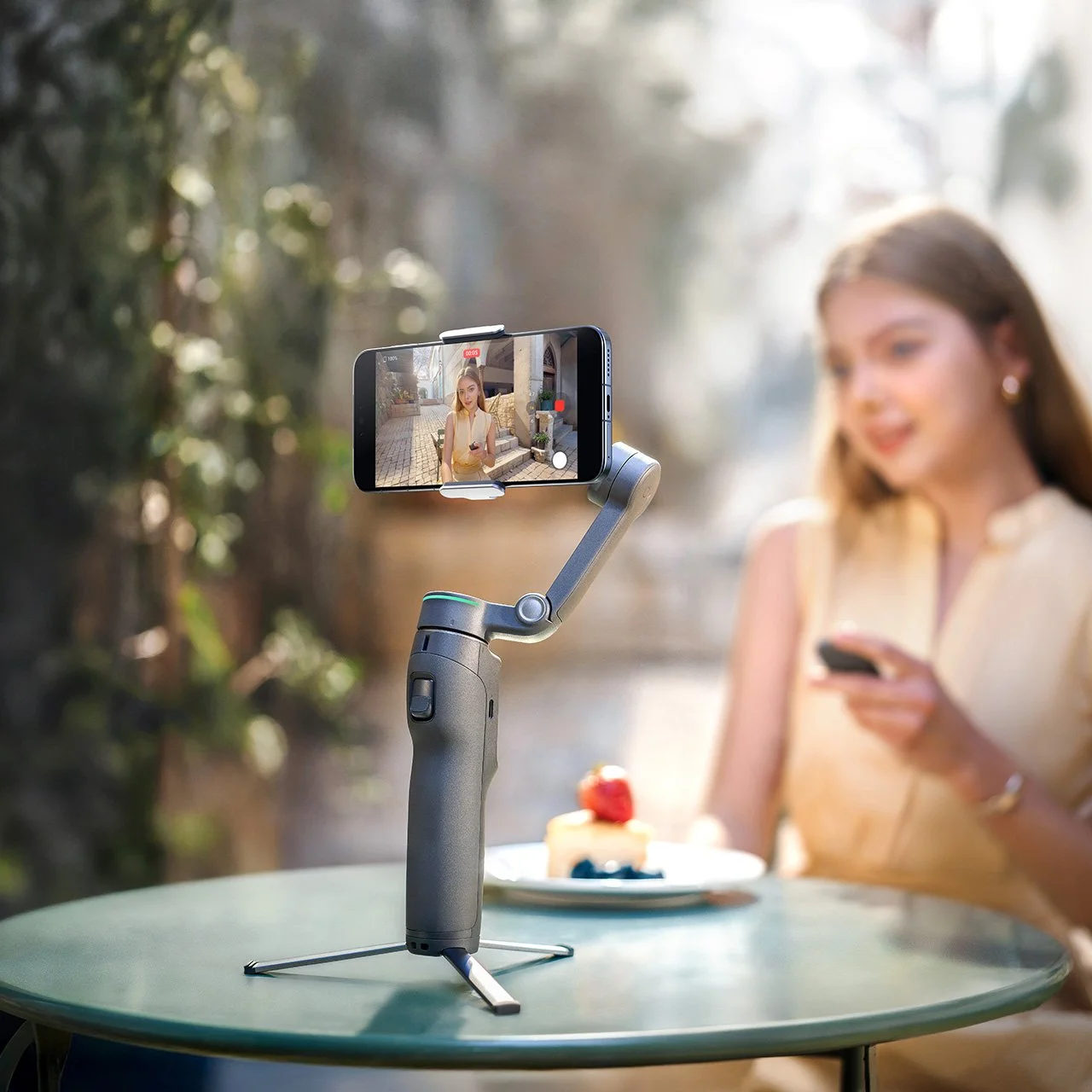
I have the DJI Osmo Mobile 6, and for what these things cost, it is slicker than goose shit.
That’s the honest review.
Not very technical. Not very polished. But accurate.
The Osmo Mobile 6 is one of those little DJI gadgets that sounds kind of unnecessary until you actually use it. Then you watch your phone footage back and realize, oh great, now my phone is a tiny stabilized camera rig and I have one less excuse for shaky garbage video.
Good, good DJI.
Now DJI has the Osmo Mobile 8P, because apparently DJI saw me behaving financially and decided that needed to stop.
And honestly, this thing looks like the phone gimbal grew up.
Better tracking. A detachable remote. Stronger solo creator tools. Voice and gesture control. Proper 3-axis stabilization. Built-in tripod. Extension rod. Phone charging. And the kind of “one person can actually film themselves properly” features that make you wonder how this stuff is still relatively affordable.
Phones already shoot ridiculous video now.
Add a gimbal like this.
Suddenly you’ve got a pretty slick little content setup without needing a backpack full of gear, a second person, or a film-school student named Brayden telling you the shot needs more mood.
Your Phone Camera Is Already Good
This is the part that has changed.
For most people, your phone camera is not the problem anymore.
Modern phones shoot very good video. Sometimes annoyingly good video. The kind of video that makes you wonder why you spent money on half the cameras you own.
The weak points are usually movement, framing, and audio.
That’s where things fall apart.
Handheld phone footage often looks like it was filmed by a raccoon jogging through a parking lot. You start walking, the frame bounces, your arm gets tired, the horizon drifts, and suddenly your beautiful little family/travel/business/drone behind-the-scenes clip has the visual confidence of a shopping cart with one bad wheel.
That’s where a phone gimbal makes sense.
The Osmo Mobile lineup takes a camera you already own and makes it easier to move with. Smoother walking shots. Better framing. More controlled pans. Less “Dad is filming while escaping a bear” energy.
That alone is useful.
But the Osmo Mobile 8P is not just about smoothing out your phone footage anymore. DJI is clearly pushing this thing toward being a tiny solo creator rig.
And that’s where it gets interesting.
The Osmo Mobile 6 Already Proved the Point
I already own the Osmo Mobile 6, and I still think it’s one of the better cheap-ish pieces of DJI gear.
It folds down small.
The magnetic clamp is easy.
It has a built-in extension rod.
It stabilizes your phone.
It tracks subjects.
It gives you a way to get smoother phone footage without making the whole thing feel like a production.
For the money, it’s ridiculous.
You don’t need to be a YouTuber to appreciate it either. If you have kids, pets, cars, trips, business content, behind-the-scenes clips, or just want your phone video to stop looking like a hostage situation, it makes sense fast.
The best part is that it lowers the friction.
That is always the thing with gear.
If it is annoying to use, you won’t use it.
The Osmo Mobile 6 is easy enough that it actually comes out of the bag. That’s why I like it.
The Osmo Mobile 8P Is More Than a New Number
The Osmo Mobile 8P looks like a bigger jump than just “new model, same idea, please give DJI more money.”
The headline feature is the detachable Osmo FrameTap remote. DJI describes it as a way to unlock pro framing with a detachable remote, and third-party reviews describe it as a small touchscreen remote that can control framing and shooting away from the gimbal. TechRadar says it can be used from up to 25 metres away, which is a big deal for solo filming.
That matters because one of the annoying parts of filming yourself is, shockingly, not being behind the camera.
You set the phone up.
You walk into position.
You realize the framing is wrong.
You walk back.
You adjust.
You walk back again.
Now your face looks annoyed because it is.
A detachable remote with live-view/framing control is exactly the sort of feature that sounds slightly gimmicky until you actually picture using it.
For solo creators, that is not a gimmick.
That is the difference between getting the shot and muttering insults at a tripod in a parking lot.
Tracking Is the Big Deal
The other big reason the Osmo Mobile 8P is interesting is tracking.
DJI is pushing ActiveTrack 8.0, with stronger subject tracking and support through the Multifunctional Module 2. DJI’s own page says the 8P can navigate complex crowds with ActiveTrack 8.0 or lock onto objects through Module 2, while also supporting Apple DockKit to bring tracking into more apps.
That is very slick.
Tracking is one of those features that gets easy to overlook because DJI has been doing it for years now. But when it works well, it changes how useful a tool is.
With a regular phone on a tripod, the shot is fixed.
With a good tracking gimbal, you can move.
Walk-and-talk.
Show a product.
Film a kid.
Film a vehicle.
Film yourself setting up drone gear.
Film a quick business update.
Film behind-the-scenes at a shoot.
The camera follows along without needing another person standing there pretending they’re happy to help.
That’s huge.
And yes, the voice and gesture control stuff is part of the same appeal. The less you have to touch the phone, the less you interrupt the shot. Raise a hand, trigger the thing, start recording, stop recording, let the gimbal do its little robot cameraman routine.
Slicker than goose shit.
This Is Where the Mic Mini 2 Sneaks In
Here is the shameless little truth.
The Osmo Mobile 8P solves the movement problem.
The DJI Mic Mini 2 solves the audio problem.
And together, your phone suddenly becomes a very capable little content rig.
That matters because phone footage is already good enough for a lot of real-world uses. Website clips, Instagram Reels, Facebook posts, Google Business Profile updates, behind-the-scenes video, quick YouTube shorts, family clips, small business content, all of it.
The problem is usually that it looks shaky or sounds terrible.
A gimbal helps the video look intentional.
A mic helps the audio not sound like it was recorded inside a jacket pocket during a windstorm.
Pair the Osmo Mobile 8P with something like the DJI Mic Mini 2, and suddenly you have stabilized video and clean wireless audio from gear that fits in a small bag.
That is stupidly good for the money.
And yes, if you’re looking at the Mic Mini 2 as well, this is where I’d naturally check DJI’s current price and bundle options:
Check the DJI Mic Mini 2 price and specs on DJI’s website here.
That’s the shameless little gear rabbit hole.
You came for a phone gimbal.
Now you’re thinking about audio.
That’s how DJI gets you.
Why This Fits How I Actually Use Video Now
I used to think every clip I shot needed to become part of a longer video.
A proper YouTube video.
A whole thing.
A title, a thumbnail, pacing, editing, maybe a voiceover, and then the algorithm could still shrug at it like I handed it a damp sandwich.
Now I think about video differently.
A lot of the footage I capture is more useful as a short insert.
Fifteen seconds in a blog article.
Ten seconds on a service page.
A quick clip for Google Business Profile.
A short Instagram Reel.
A tiny behind-the-scenes shot that makes a page feel real instead of static.
That is where something like the Osmo Mobile 8P makes a ton of sense.
Not every piece of video has to be a production.
Sometimes you just need a smooth clip that shows the gear, the location, the person, the process, or the vibe.
The phone already does the heavy lifting.
The gimbal makes it watchable.
The mic makes it listenable.
That’s enough.
For Drone Work, This Is Actually Useful
This is the part that makes it relevant to Vancouver Island Drones.
Drone footage is great, but it does not tell the whole story.
Sometimes people need to see the setup.
The landing area.
The gear.
The site.
The controller.
The “boring” planning part that actually matters.
A short handheld clip of the Air 3S coming in for landing. A quick walk-and-talk explaining a site survey. A behind-the-scenes shot before a construction progress flight. A simple intro to a blog post. A quick service explainer for Instagram.
That stuff does not need an expensive camera rig.
It needs to be steady, clear, and easy to capture before you talk yourself out of doing it.
That is exactly where a phone gimbal fits.
The Osmo Mobile 8P looks like it makes those little clips easier, especially if you’re filming yourself and don’t want to keep running back and forth to the phone like a raccoon with a production schedule.
Who Should Actually Buy This?
The Osmo Mobile 8P makes sense for a lot of people.
Solo creators.
Small businesses.
Parents.
Travel people.
Drone pilots.
Realtors.
Car people.
Anyone making quick content with their phone.
Anyone whose phone footage is almost good but still looks like it was filmed during mild turbulence.
If you already use your phone for video, this is the kind of tool that can make a noticeable difference without turning your life into a gear ritual.
That’s the sweet spot.
Simple gear that gets used.
Not a full camera rig.
Not a giant stabilizer.
Not a case full of things you have to charge, update, balance, and emotionally prepare for.
Just a small gimbal that makes your phone footage look better.
Should Osmo Mobile 6 Owners Upgrade?
This is the annoying question.
If you already have the Osmo Mobile 6 and mostly use it for basic stabilized phone video, you probably do not need to panic-upgrade.
Your OM6 did not turn into a pumpkin.
It is still slick.
It still works.
It still makes phone footage better.
But if you film yourself often, care about remote framing, want better tracking, want stronger solo shooting tools, or want the newer FrameTap setup, then the Osmo Mobile 8P starts looking like a real upgrade instead of just a shiny number.
That’s where I’d draw the line.
Casual OM6 user?
Keep using it.
Solo creator who wants to make filming yourself easier?
Now we’re talking.
Check DJI’s Current Price
If you’re looking at the DJI Osmo Mobile 8P, I’d check DJI directly for the latest price, specs, and bundle options here:
Check the DJI Osmo Mobile 8P price and specs on DJI’s website here.
DJI loves giving you just enough bundle options to make a simple decision feel like buying a truck.
Standard combo.
Advanced tracking combo.
Creator combo.
Do you need the extra bits?
Maybe.
Do you want them?
Probably.
Are you now thinking about adding a Mic Mini 2 too?
Of course you are.
Welcome to DJI Addiction Anonymous.
Meetings are at sunrise.
Bring charged batteries.
Final Take
The DJI Osmo Mobile 8P is another reminder that cheap creator gear is not really cheap-feeling anymore.
Your phone already shoots great video.
The gimbal makes it smooth.
The tracking makes it easier to film yourself.
The remote makes solo framing less annoying.
The Mic Mini 2 makes the audio dramatically better.
Put all of that together and you’ve got a very slick little setup for the money.
Not a Hollywood rig.
Not a replacement for serious cameras in every situation.
But for real-world content?
Website clips.
Behind-the-scenes videos.
Family trips.
Drone job context.
Small business updates.
Instagram Reels.
Quick walk-and-talks.
It makes a lot of sense.
The Osmo Mobile 6 already proved to me that phone gimbals are more useful than people think.
The Osmo Mobile 8P looks like DJI taking that idea and making it more powerful, more solo-friendly, and even harder to ignore.
Which is annoying.
Because I already have the OM6.
And now I’m looking at the 8P.
This is how it starts.
Again.
Related Reads
DJI Mic Mini 2 vs Mic Mini: This Much Audio Tech for This Price Is Stupid
Tiny wireless audio has gotten ridiculous. A real-world look at the Mic Mini, Mic Mini 2, cleaner creator audio, and why bad sound is getting harder to excuse.
DJI Osmo Nano: A Tiny Camera We Take Everywhere
A tiny DJI camera that keeps ending up in the bag, on the truck, or attached to a kid — and why small, easy gear usually gets used the most.
DJI Neo 2 Review: The Best First Drone for Kids, Creators, and Wannabe Jedi
Palm launch, gesture control, follow-me tracking, and enough DJI wizardry to make a tiny drone feel like a personal videographer you can pull out of your pocket.
