
The Captain’s Log
Aerial stories, father–son adventures, and life on the edge of the Pacific.
Drone Site Photos in Victoria: Helping Developers, Architects, and Project Teams See the Whole Picture
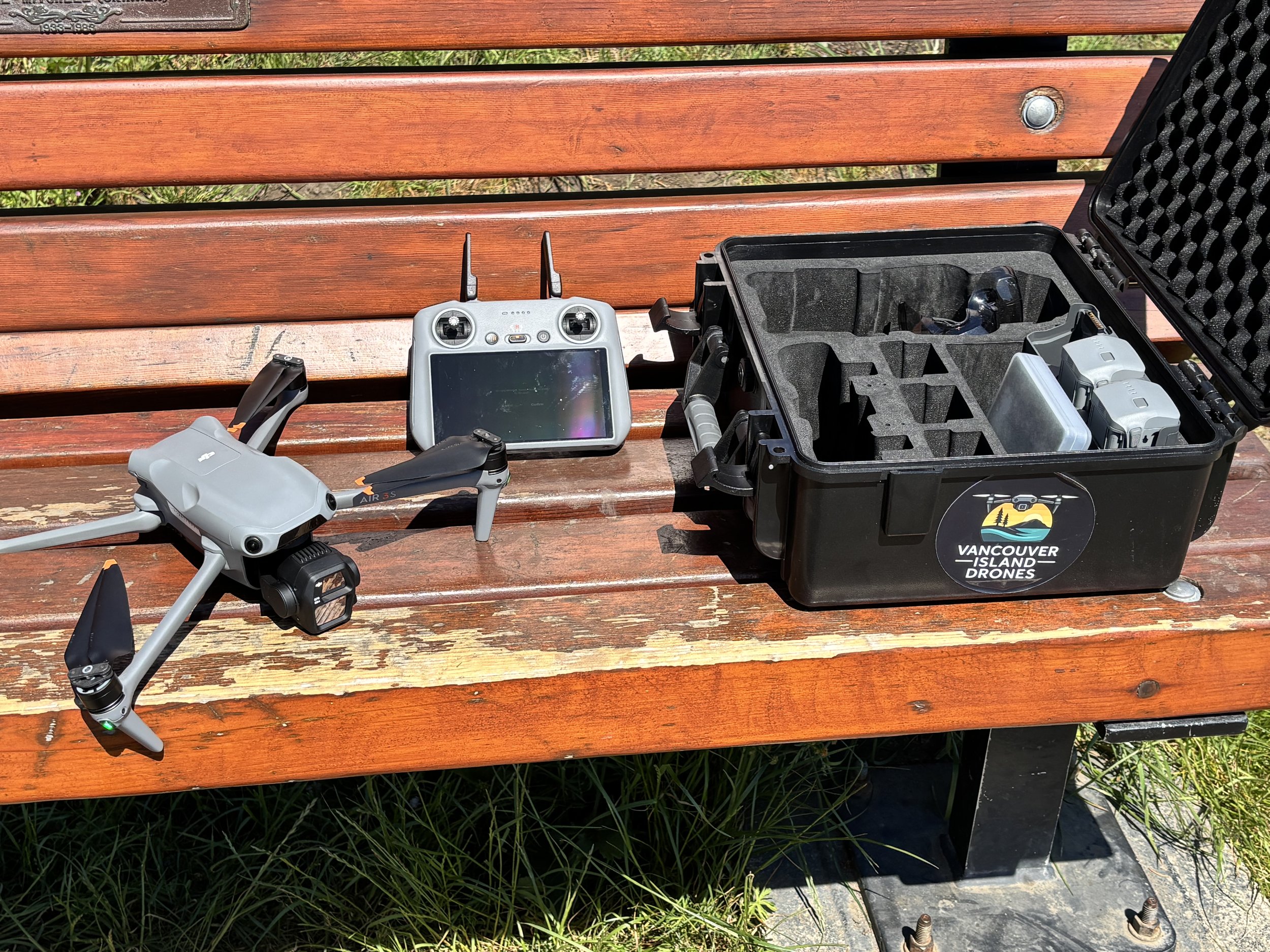
The DJI Air 3S is my main workhorse for practical aerial site photos, project documentation, and local drone jobs around Victoria. Not every project needs a giant enterprise drone — sometimes you just need clear, useful images from above.
Sometimes you don’t need a big production.
You don’t need a film crew, a drone van, a storyboard, three meetings, and someone named Brent standing around with a clipboard saying things like “deliverables” too much.
Sometimes you just need a clear view of a site from above.
That’s where drone site photography makes sense.
For developers, architects, landscape architects, municipalities, construction teams, property owners, and project managers, aerial photos can help show how a site actually fits together. Roads, access points, shoreline, trees, surrounding properties, staging areas, terrain, water, bridges, buildings, open space — all the stuff that can be hard to explain properly from the ground.
Most straightforward local drone jobs around Victoria are usually in the $200–$300 range, depending on location, scope, and what you need delivered.
Bigger project sites, repeat visits, travel, pano images, extra video, editing, labelling, or platform-specific delivery can change the price, but the basic process is still pretty simple.
Send me the site.
Tell me what you need.
I’ll check the airspace, complete a site survey, plan the flight properly, file a NAV CANADA flight plan when required, and capture useful aerial photos or video safely and legally.
No mystery package.
No inflated production nonsense.
Just useful site photos from above.
Site Photos Are Not Just Pretty Drone Shots
Aerial photography can be beautiful, obviously.
This is Vancouver Island. You point a drone at the right coastline and the place basically does half the work for you.
But for project teams, the value is usually more practical than pretty.
A good aerial photo can show the whole site at once.
Where the access is.
How the property sits in relation to the road.
What surrounds it.
Where the shoreline or tree line runs.
How close nearby buildings, trails, water, slopes, or open space really are.
What the project looks like in context.
That matters because ground-level photos only tell part of the story.
You can stand on a site and take fifty phone photos, and still not have one image that clearly explains the whole thing to someone who has never been there.
A drone can usually solve that in a few minutes.
Helping People Understand the Site Faster
A lot of site work comes down to communication.
You may already understand the property because you’ve walked it, measured it, planned it, designed around it, or stood there in the rain staring at it long enough to question your career choices.
But someone else may not.
A client.
A stakeholder.
A project manager.
A municipal team.
A consultant.
An investor.
A board member.
Someone working remotely.
Someone who needs to understand the site before they can make a decision.
Aerial photos help shorten that conversation.
Instead of trying to explain how the road, river, beach, building, slope, trail, or property edge all relate to each other, you can just show it.
That’s the whole point.
The image does the explaining.
Useful for Developers, Architects, and Project Teams
Drone site photos can be useful at a few different stages.
Before work starts, they can help document existing conditions and show the surrounding context.
During planning, they can help teams understand layout, access, terrain, and neighbouring features.
During construction, they can show progress, staging, and how the site is changing.
After work is complete, they can help document the finished project or support website, brochure, presentation, or stakeholder material.
That does not mean every site needs a giant drone package.
Sometimes it is just a clean set of aerial photos.
Sometimes it is a few wider context shots.
Sometimes it is raw video for an internal platform.
Sometimes it is a handful of repeat angles over time.
Sometimes it is a mix of stills and video so the team has options later.
The important thing is figuring out what is actually useful.
Not every job needs to be cinematic.
Sometimes it just needs to be clear.
Photos, Video, Panos, Raw Files, or Edited Media
Different teams need different files.
Some clients want clean, high-resolution aerial photos they can use in reports, presentations, websites, or internal updates.
Some want short video clips.
Some want raw files so their team can use the material in their own platform or workflow.
Some want lightly edited photos.
Some want folders labelled by date or angle.
Some want the same basic views captured over time.
Some may need pano-style images or wider views that help show the full site and surrounding area.
That is why I prefer to keep the conversation simple at the start.
What do you need to show?
Who is using the files?
Where are the files going?
Do you want raw media, edited media, or both?
Is this for internal documentation, project planning, public-facing material, or marketing?
Once that is clear, the flight is easier to plan and the pricing makes more sense.
Safe, Legal, and Planned Properly
Victoria is not empty airspace.
There are floatplanes, helicopters, controlled airspace, buildings, people, traffic, parks, water, wildlife, and site-specific restrictions to think about.
That is why the planning matters.
Before flying a commercial drone job, I review the site, check the airspace, look at takeoff and landing options, review weather, think through people and property nearby, and file a NAV CANADA flight plan or authorization when required.
I’m Transport Canada Advanced-certified and insured, and I treat the planning side as part of the job.
That does not mean the process has to be painful.
Most of the time, it is straightforward.
But it should still be done properly.
The goal is not just getting the shot.
The goal is getting the shot safely, legally, and without making the site’s day harder.
Professional Does Not Have to Mean Complicated
This is the part I think matters.
A project can be professional without becoming overcomplicated.
A lot of drone site photography is pretty simple once the details are clear.
Where is the site?
What needs to be captured?
Are people working there?
Is access required?
Can the flight be done from outside the active work area?
Are there specific angles or features that matter?
Do you need photos, video, raw files, edited files, or organized folders?
Once those questions are answered, the rest is usually just planning and execution.
Show up.
Fly the site.
Capture the media.
Deliver the files.
That’s the process.
No need to turn a useful aerial photo job into a full documentary production unless the project actually calls for that.
What Affects the Price
Most straightforward local drone jobs around Victoria are usually in the $200–$300 range.
That usually covers a planned site visit, a safe flight, and delivery of usable aerial photos, video clips, or both.
Some basic photo-only jobs may be less, depending on the location and scope.
More involved work can cost more.
Things that can affect the price include travel, site complexity, controlled airspace, repeat visits, video needs, pano-style images, editing, labelling, file organization, delivery requirements, active-site coordination, or a larger volume of photos and video.
If your team just needs raw files, that can keep things simple.
If you need polished edits, organized folders, labelled angles, repeat views, or delivery formatted for a specific platform, that gets factored in.
Nothing mysterious.
Just pricing based on what the job actually needs.
Site Context Can Be the Missing Piece
Aerial photos are especially useful when the surrounding area matters.
And around Victoria, it often does.
A project site might be tied to shoreline, a bridge, a park, a road, a slope, a neighbourhood, a commercial area, or a natural feature that is difficult to explain from ground level.
From above, the picture becomes clearer.
You can see the access.
You can see the relationship between the site and the surrounding area.
You can see the scale.
You can see what is nearby.
You can see the whole thing in one frame.
That is why drone photos are useful for more than just construction progress.
They help people understand place.
And that can be valuable for planning, design, communication, documentation, and decision-making.
How It Works
Send me the location and a quick note about what you need.
I’ll review the site, check the airspace, look at access and practical constraints, and let you know if it makes sense.
If it does, we figure out what needs to be captured and how you want the files delivered.
Then I plan the flight, handle the drone side properly, capture the photos or video, and send the files over.
That’s it.
Simple is the goal.
Useful is the goal.
If a drone can help your team understand the site better, it is probably worth a conversation.
If it does not make sense, I’ll tell you that too.
Let’s Talk
If you need aerial site photos in Victoria, the Westshore, or elsewhere on Vancouver Island, send me a quick email.
Tell me where the site is and what you’re trying to show.
I’ll take a look and tell you straight up if it makes sense, what planning may be required, and what it will likely cost.
Related Reads
Construction Drone Photography in Victoria: Simple Progress Photos From Above
A practical look at recurring construction progress photos, weekly or bi-weekly site visits, repeat angles, live-site coordination, and simple delivery for project documentation.
Hiring a Drone Pilot in Victoria, BC — What It Costs and What You Get
Straightforward pricing, what’s included, and what the process looks like if you need aerial photos, video, inspections, or a better look at something from above.
Port Renfrew Road Trip From Victoria: Pacheedaht Beach, San Juan River, and West Coast Chaos
A commissioned aerial shoot around Pacheedaht Beach turned into a family road trip, complete with rough roads, big West Coast scenery, and one very opinionated backseat driver.
DJI Osmo Mobile 8P vs Osmo Mobile 6: Phone Gimbals Got Stupidly Good
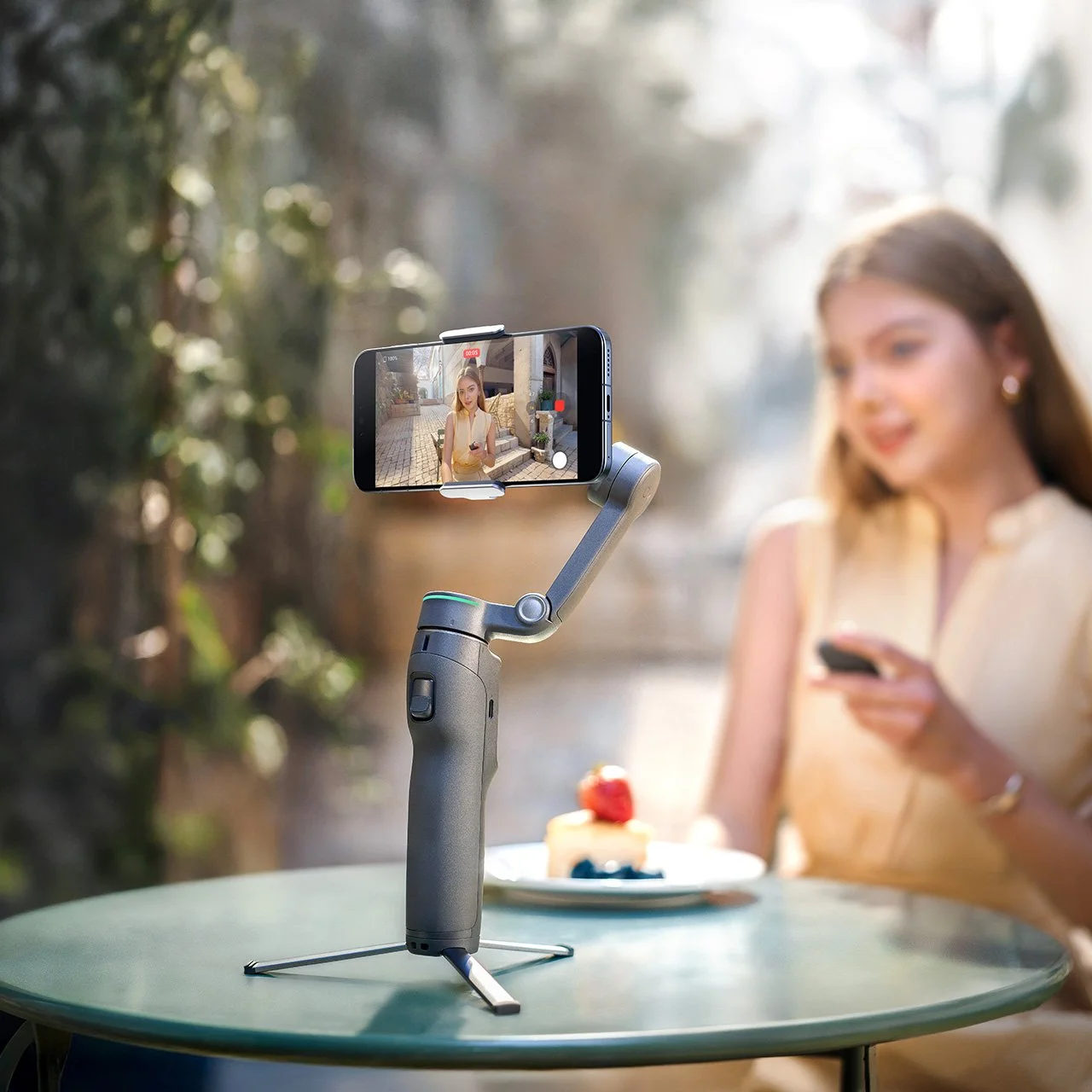
I have the DJI Osmo Mobile 6, and for what these things cost, it is slicker than goose shit.
That’s the honest review.
Not very technical. Not very polished. But accurate.
The Osmo Mobile 6 is one of those little DJI gadgets that sounds kind of unnecessary until you actually use it. Then you watch your phone footage back and realize, oh great, now my phone is a tiny stabilized camera rig and I have one less excuse for shaky garbage video.
Good, good DJI.
Now DJI has the Osmo Mobile 8P, because apparently DJI saw me behaving financially and decided that needed to stop.
And honestly, this thing looks like the phone gimbal grew up.
Better tracking. A detachable remote. Stronger solo creator tools. Voice and gesture control. Proper 3-axis stabilization. Built-in tripod. Extension rod. Phone charging. And the kind of “one person can actually film themselves properly” features that make you wonder how this stuff is still relatively affordable.
Phones already shoot ridiculous video now.
Add a gimbal like this.
Suddenly you’ve got a pretty slick little content setup without needing a backpack full of gear, a second person, or a film-school student named Brayden telling you the shot needs more mood.
Your Phone Camera Is Already Good
This is the part that has changed.
For most people, your phone camera is not the problem anymore.
Modern phones shoot very good video. Sometimes annoyingly good video. The kind of video that makes you wonder why you spent money on half the cameras you own.
The weak points are usually movement, framing, and audio.
That’s where things fall apart.
Handheld phone footage often looks like it was filmed by a raccoon jogging through a parking lot. You start walking, the frame bounces, your arm gets tired, the horizon drifts, and suddenly your beautiful little family/travel/business/drone behind-the-scenes clip has the visual confidence of a shopping cart with one bad wheel.
That’s where a phone gimbal makes sense.
The Osmo Mobile lineup takes a camera you already own and makes it easier to move with. Smoother walking shots. Better framing. More controlled pans. Less “Dad is filming while escaping a bear” energy.
That alone is useful.
But the Osmo Mobile 8P is not just about smoothing out your phone footage anymore. DJI is clearly pushing this thing toward being a tiny solo creator rig.
And that’s where it gets interesting.
The Osmo Mobile 6 Already Proved the Point
I already own the Osmo Mobile 6, and I still think it’s one of the better cheap-ish pieces of DJI gear.
It folds down small.
The magnetic clamp is easy.
It has a built-in extension rod.
It stabilizes your phone.
It tracks subjects.
It gives you a way to get smoother phone footage without making the whole thing feel like a production.
For the money, it’s ridiculous.
You don’t need to be a YouTuber to appreciate it either. If you have kids, pets, cars, trips, business content, behind-the-scenes clips, or just want your phone video to stop looking like a hostage situation, it makes sense fast.
The best part is that it lowers the friction.
That is always the thing with gear.
If it is annoying to use, you won’t use it.
The Osmo Mobile 6 is easy enough that it actually comes out of the bag. That’s why I like it.
The Osmo Mobile 8P Is More Than a New Number
The Osmo Mobile 8P looks like a bigger jump than just “new model, same idea, please give DJI more money.”
The headline feature is the detachable Osmo FrameTap remote. DJI describes it as a way to unlock pro framing with a detachable remote, and third-party reviews describe it as a small touchscreen remote that can control framing and shooting away from the gimbal. TechRadar says it can be used from up to 25 metres away, which is a big deal for solo filming.
That matters because one of the annoying parts of filming yourself is, shockingly, not being behind the camera.
You set the phone up.
You walk into position.
You realize the framing is wrong.
You walk back.
You adjust.
You walk back again.
Now your face looks annoyed because it is.
A detachable remote with live-view/framing control is exactly the sort of feature that sounds slightly gimmicky until you actually picture using it.
For solo creators, that is not a gimmick.
That is the difference between getting the shot and muttering insults at a tripod in a parking lot.
Tracking Is the Big Deal
The other big reason the Osmo Mobile 8P is interesting is tracking.
DJI is pushing ActiveTrack 8.0, with stronger subject tracking and support through the Multifunctional Module 2. DJI’s own page says the 8P can navigate complex crowds with ActiveTrack 8.0 or lock onto objects through Module 2, while also supporting Apple DockKit to bring tracking into more apps.
That is very slick.
Tracking is one of those features that gets easy to overlook because DJI has been doing it for years now. But when it works well, it changes how useful a tool is.
With a regular phone on a tripod, the shot is fixed.
With a good tracking gimbal, you can move.
Walk-and-talk.
Show a product.
Film a kid.
Film a vehicle.
Film yourself setting up drone gear.
Film a quick business update.
Film behind-the-scenes at a shoot.
The camera follows along without needing another person standing there pretending they’re happy to help.
That’s huge.
And yes, the voice and gesture control stuff is part of the same appeal. The less you have to touch the phone, the less you interrupt the shot. Raise a hand, trigger the thing, start recording, stop recording, let the gimbal do its little robot cameraman routine.
Slicker than goose shit.
This Is Where the Mic Mini 2 Sneaks In
Here is the shameless little truth.
The Osmo Mobile 8P solves the movement problem.
The DJI Mic Mini 2 solves the audio problem.
And together, your phone suddenly becomes a very capable little content rig.
That matters because phone footage is already good enough for a lot of real-world uses. Website clips, Instagram Reels, Facebook posts, Google Business Profile updates, behind-the-scenes video, quick YouTube shorts, family clips, small business content, all of it.
The problem is usually that it looks shaky or sounds terrible.
A gimbal helps the video look intentional.
A mic helps the audio not sound like it was recorded inside a jacket pocket during a windstorm.
Pair the Osmo Mobile 8P with something like the DJI Mic Mini 2, and suddenly you have stabilized video and clean wireless audio from gear that fits in a small bag.
That is stupidly good for the money.
And yes, if you’re looking at the Mic Mini 2 as well, this is where I’d naturally check DJI’s current price and bundle options:
Check the DJI Mic Mini 2 price and specs on DJI’s website here.
That’s the shameless little gear rabbit hole.
You came for a phone gimbal.
Now you’re thinking about audio.
That’s how DJI gets you.
Why This Fits How I Actually Use Video Now
I used to think every clip I shot needed to become part of a longer video.
A proper YouTube video.
A whole thing.
A title, a thumbnail, pacing, editing, maybe a voiceover, and then the algorithm could still shrug at it like I handed it a damp sandwich.
Now I think about video differently.
A lot of the footage I capture is more useful as a short insert.
Fifteen seconds in a blog article.
Ten seconds on a service page.
A quick clip for Google Business Profile.
A short Instagram Reel.
A tiny behind-the-scenes shot that makes a page feel real instead of static.
That is where something like the Osmo Mobile 8P makes a ton of sense.
Not every piece of video has to be a production.
Sometimes you just need a smooth clip that shows the gear, the location, the person, the process, or the vibe.
The phone already does the heavy lifting.
The gimbal makes it watchable.
The mic makes it listenable.
That’s enough.
For Drone Work, This Is Actually Useful
This is the part that makes it relevant to Vancouver Island Drones.
Drone footage is great, but it does not tell the whole story.
Sometimes people need to see the setup.
The landing area.
The gear.
The site.
The controller.
The “boring” planning part that actually matters.
A short handheld clip of the Air 3S coming in for landing. A quick walk-and-talk explaining a site survey. A behind-the-scenes shot before a construction progress flight. A simple intro to a blog post. A quick service explainer for Instagram.
That stuff does not need an expensive camera rig.
It needs to be steady, clear, and easy to capture before you talk yourself out of doing it.
That is exactly where a phone gimbal fits.
The Osmo Mobile 8P looks like it makes those little clips easier, especially if you’re filming yourself and don’t want to keep running back and forth to the phone like a raccoon with a production schedule.
Who Should Actually Buy This?
The Osmo Mobile 8P makes sense for a lot of people.
Solo creators.
Small businesses.
Parents.
Travel people.
Drone pilots.
Realtors.
Car people.
Anyone making quick content with their phone.
Anyone whose phone footage is almost good but still looks like it was filmed during mild turbulence.
If you already use your phone for video, this is the kind of tool that can make a noticeable difference without turning your life into a gear ritual.
That’s the sweet spot.
Simple gear that gets used.
Not a full camera rig.
Not a giant stabilizer.
Not a case full of things you have to charge, update, balance, and emotionally prepare for.
Just a small gimbal that makes your phone footage look better.
Should Osmo Mobile 6 Owners Upgrade?
This is the annoying question.
If you already have the Osmo Mobile 6 and mostly use it for basic stabilized phone video, you probably do not need to panic-upgrade.
Your OM6 did not turn into a pumpkin.
It is still slick.
It still works.
It still makes phone footage better.
But if you film yourself often, care about remote framing, want better tracking, want stronger solo shooting tools, or want the newer FrameTap setup, then the Osmo Mobile 8P starts looking like a real upgrade instead of just a shiny number.
That’s where I’d draw the line.
Casual OM6 user?
Keep using it.
Solo creator who wants to make filming yourself easier?
Now we’re talking.
Check DJI’s Current Price
If you’re looking at the DJI Osmo Mobile 8P, I’d check DJI directly for the latest price, specs, and bundle options here:
Check the DJI Osmo Mobile 8P price and specs on DJI’s website here.
DJI loves giving you just enough bundle options to make a simple decision feel like buying a truck.
Standard combo.
Advanced tracking combo.
Creator combo.
Do you need the extra bits?
Maybe.
Do you want them?
Probably.
Are you now thinking about adding a Mic Mini 2 too?
Of course you are.
Welcome to DJI Addiction Anonymous.
Meetings are at sunrise.
Bring charged batteries.
Final Take
The DJI Osmo Mobile 8P is another reminder that cheap creator gear is not really cheap-feeling anymore.
Your phone already shoots great video.
The gimbal makes it smooth.
The tracking makes it easier to film yourself.
The remote makes solo framing less annoying.
The Mic Mini 2 makes the audio dramatically better.
Put all of that together and you’ve got a very slick little setup for the money.
Not a Hollywood rig.
Not a replacement for serious cameras in every situation.
But for real-world content?
Website clips.
Behind-the-scenes videos.
Family trips.
Drone job context.
Small business updates.
Instagram Reels.
Quick walk-and-talks.
It makes a lot of sense.
The Osmo Mobile 6 already proved to me that phone gimbals are more useful than people think.
The Osmo Mobile 8P looks like DJI taking that idea and making it more powerful, more solo-friendly, and even harder to ignore.
Which is annoying.
Because I already have the OM6.
And now I’m looking at the 8P.
This is how it starts.
Again.
Related Reads
DJI Mic Mini 2 vs Mic Mini: This Much Audio Tech for This Price Is Stupid
Tiny wireless audio has gotten ridiculous. A real-world look at the Mic Mini, Mic Mini 2, cleaner creator audio, and why bad sound is getting harder to excuse.
DJI Osmo Nano: A Tiny Camera We Take Everywhere
A tiny DJI camera that keeps ending up in the bag, on the truck, or attached to a kid — and why small, easy gear usually gets used the most.
DJI Neo 2 Review: The Best First Drone for Kids, Creators, and Wannabe Jedi
Palm launch, gesture control, follow-me tracking, and enough DJI wizardry to make a tiny drone feel like a personal videographer you can pull out of your pocket.
DJI Mic Mini 2 vs Mic Mini: This Much Audio Tech for This Price Is Stupid
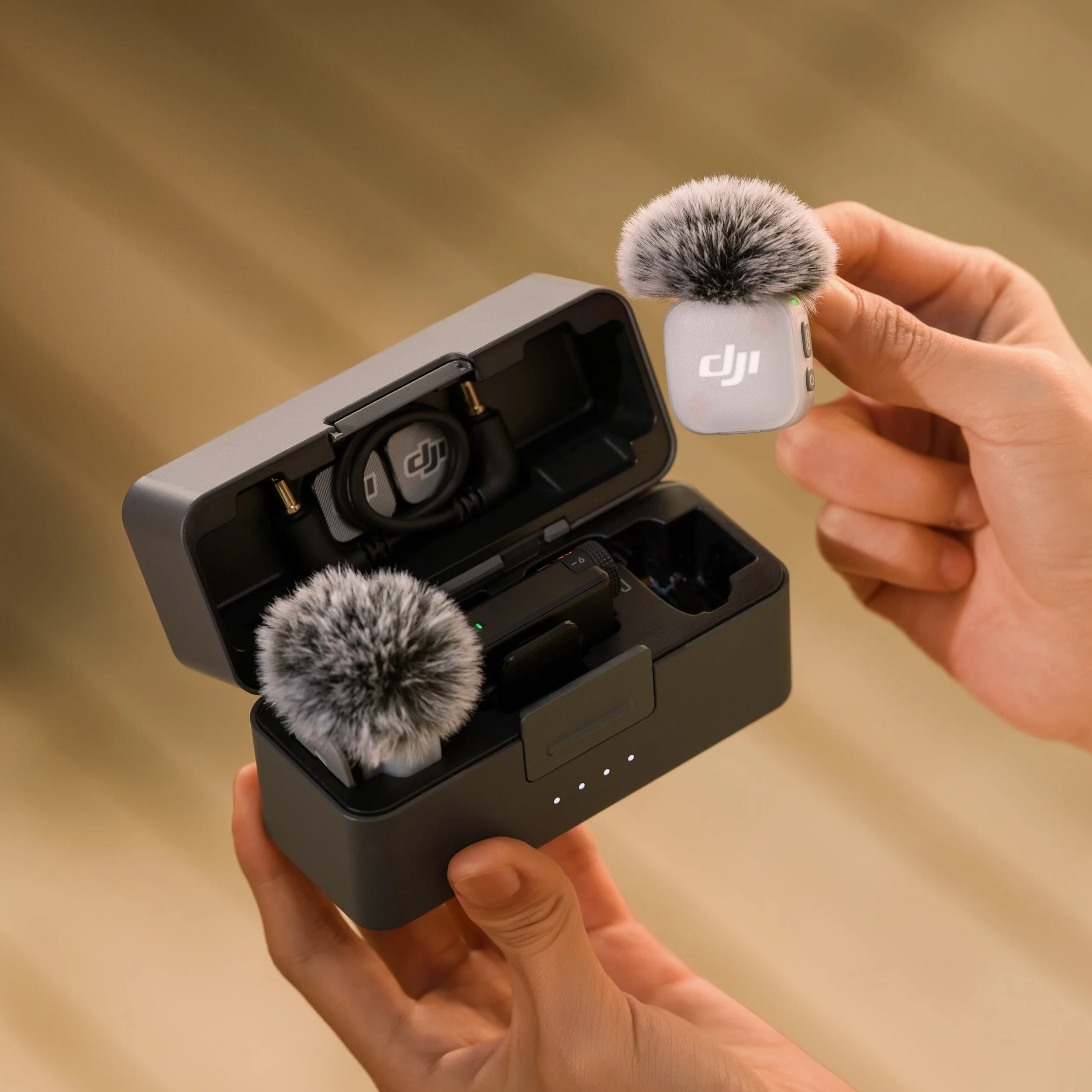
The DJI Mic Mini is one of those pieces of gear I didn’t expect to like as much as I do.
It’s just a tiny wireless microphone.
That does not sound exciting unless you’re the kind of person who owns too many batteries, has opinions about wind noise, and has accidentally turned “just grabbing a quick clip” into a full personality disorder.
Unfortunately, I am that person.
And honestly, the Mic Mini is slicker than it has any right to be.
Small, light, easy to use, clean enough for real-world video, and cheap enough that you start wondering why bad audio is still allowed to exist.
Then DJI went and released the Mic Mini 2, because apparently DJI looked at my bank account and thought, “He seems too calm.”
Good, good DJI.
The Original Mic Mini Already Makes a Lot of Sense
I have the original DJI Mic Mini, and I love it.
Not in a dramatic “this changed my life” way. I’m not standing on a mountain holding a tiny microphone while orchestral music swells in the background.
But in the much more useful way: it actually gets used.
That matters.
A lot of gear sounds cool when you buy it, then ends up living in a drawer with old cables, mystery adapters, and that one USB-C thing you’re afraid to throw away because you’re sure it belongs to something important.
The Mic Mini is not like that.
It’s small enough to toss in a bag. It connects easily. It works well with DJI gear. It makes phone and action-camera audio sound a lot less like you recorded it from inside a cereal box during a windstorm.
And once you start using a real mic, you realize something unfortunate.
Bad audio has been quietly ruining everything.
You can forgive slightly imperfect video. You can forgive a little shake. You can forgive a shot that isn’t perfectly framed.
But bad audio?
Bad audio makes a video feel cheap instantly.
It doesn’t matter if the drone shot is gorgeous, the light is perfect, and the West Coast is doing its ridiculous “look how beautiful I am” routine.
If the audio sounds like you recorded it through a wet sock, the whole thing falls apart.
The Mic Mini Also Taught Me Something About Myself
The first time I really listened back to my own audio through the Mic Mini, I learned something.
Apparently, I breathe like I’m hiding from a bear.
Deep breathing. Nose noise. A little nostril whistle. Very professional. Very cinematic. Very “middle-aged man has discovered high-quality audio and now regrets knowing things.”
Nobody warns you about that part.
You buy a nice microphone thinking it will make your videos sound better, and it does.
Unfortunately, it also makes you hear yourself.
All of yourself.
Every breath. Every little mouth noise. Every time your nose decides it wants a supporting role.
So yes, the Mic Mini improves your audio.
It may also improve your self-awareness in ways you did not ask for.
Still worth it.
Annoying, but worth it.
Why Tiny Wireless Audio Is Kind of Ridiculous Now
This is the part that still blows me away.
Not that wireless mics exist.
We’ve had wireless audio for a long time.
What’s crazy is how small, affordable, and easy this stuff has become.
The Mic Mini is tiny. The Mic Mini 2 is still tiny. DJI lists the Mic Mini 2 transmitter at around 11 grams, which is basically nothing. That’s “did I remember to put it in my bag?” weight. That’s “I might lose this in a hoodie pocket and find it in July” weight.
And yet this little thing can make your video sound dramatically better.
That’s the real story.
Not the colours.
Not the little accessory ecosystem.
Not the spec-sheet chest thumping.
The real story is that a tiny wireless microphone setup can now be affordable enough and easy enough that bad audio starts becoming harder to excuse.
If you’re making videos for YouTube, Instagram, Facebook, your website, your business, your kid’s bike ride, your drone adventures, behind-the-scenes clips, product reviews, or whatever other nonsense you’ve accidentally turned into content, audio matters.
And DJI is making that easier.
Rude of them, honestly.
So What Did DJI Actually Change With the Mic Mini 2?
The Mic Mini 2 does not look like DJI threw the original in the garbage and started over.
This feels more like DJI took an already good idea and made it more approachable, a little more creator-friendly, and a little more polished.
DJI is pushing the Mic Mini 2 with multi-colour magnetic covers, three voice tone presets, mixed device connection, OsmoAudio support, long battery life, and compact all-in-one storage.
In normal human language, that means:
It’s still tiny.
It still fits the DJI creator ecosystem.
It still makes easy wireless audio the whole point.
It now has more personality.
And yes, it has pretty colours.
I’m not going to pretend the colours are the reason to buy a microphone.
But I’m also not above admitting that DJI making tiny gear look better is part of their evil little charm.
They know exactly what they’re doing.
“Here’s the same useful little audio thing, but now it looks nicer and costs less than you expected.”
That is how they get you.
That is how we end up in DJI Addiction Anonymous.
Meetings are at sunrise.
Bring charged batteries and apparently a microphone.
The Voice Presets Are Interesting
The Mic Mini 2 adds voice tone presets, which sounds like one of those features I would normally roll my eyes at.
Because I do not need a microphone trying to give me a radio voice.
I already sound like me. Unfortunately, that is the arrangement we’re working with.
But I can see the appeal.
Different people sound different. Some voices are thin. Some are boomy. Some are sharp. Some people sound like they’re announcing a monster truck rally in a bathroom.
A few simple voice presets can help regular people get better audio without opening editing software and pretending they understand EQ.
That matters for casual creators.
Not everyone wants to become an audio engineer.
Most people just want to talk, record, and not sound like they’re being interviewed during a windstorm beside a leaf blower.
If DJI can make that easier, good.
The DJI Ecosystem Is the Real Hook
This is where DJI gets dangerous.
Because the Mic Mini and Mic Mini 2 are not just microphones.
They are little pieces of a bigger trap.
A beautiful, well-designed, wallet-draining trap.
If you’re already using DJI gear — an Osmo Nano, Osmo Pocket, Osmo Action, or anything that supports DJI’s OsmoAudio system — the appeal gets obvious fast.
The less you have to fiddle with receivers, cables, apps, adapters, and “why isn’t this connecting?” moments, the more likely you are to actually use the gear.
That’s the whole point.
The best gear is the stuff you don’t have to talk yourself into using.
The Mic Mini works for me because it reduces friction.
The Mic Mini 2 looks like it keeps pushing in that same direction.
Easy audio.
Small package.
Good enough quality.
Less nonsense.
That’s a strong combination.
Do You Need to Upgrade From the Original Mic Mini?
Probably not.
And I say that as someone who likes the original Mic Mini a lot.
If you already own the Mic Mini and it’s doing what you need, relax. Your tiny microphone did not become garbage overnight.
This is not the Mini drone lineup getting bullied by the Lito series.
This is more like DJI giving an already good little product a nicer jacket, a better haircut, and a few new tricks.
If your Mic Mini is working, keep using it.
That’s where I’m at.
I don’t feel like I need to sprint out and replace mine just because DJI put a shiny new number on the box and added some creator-friendly touches.
Would I like the new one?
Probably.
Do I need it?
No.
Will that stop me from looking at it?
Also no.
I’m not made of stone.
Who Should Buy the Mic Mini 2?
If you don’t already own a wireless mic, the Mic Mini 2 makes a lot of sense.
Especially if you’re creating simple real-world content and you don’t want to turn audio into a full production.
This is the kind of mic that makes sense for people filming:
drone content
behind-the-scenes clips
family videos
travel videos
Instagram Reels
YouTube Shorts
business updates
website videos
walk-and-talk clips
product reviews
garage nonsense
West Coast adventures
children roasting your driving ability
You know.
Normal life.
If you’re already using DJI camera gear, it makes even more sense. The ecosystem support is the quiet killer feature here.
Small mic. Easy connection. Better audio.
That’s the whole pitch.
Who Should Not Buy It?
If you need more advanced audio features, you may want to look higher up DJI’s mic lineup.
The Mic Mini and Mic Mini 2 are about being small, easy, and affordable.
They are not trying to replace every professional audio setup.
If you need internal recording, more advanced monitoring, more professional backup options, or a setup for bigger productions, this may not be the right lane.
And that’s fine.
Not every piece of gear needs to pretend it’s for everyone.
The Mic Mini line is for people who want audio to get better without the process getting stupid.
That is a very good lane.
Why This Matters for Drone and Creator Content
This is where the Mic Mini 2 fits into the bigger picture for me.
A lot of drone people focus on the visuals.
Understandably.
Drones are flying cameras. The whole point is the view.
But if you’re making content around the drone — talking to camera, showing behind-the-scenes, filming gear, explaining a job, doing a review, making a short Reel, or adding a quick intro to a blog post — audio suddenly matters.
A lot.
The drone shot might get someone’s attention.
The audio keeps them from leaving.
That’s why I like having a small mic setup around.
It helps bridge the gap between “pretty footage” and actual communication.
And for Vancouver Island Drones, that matters more than it used to.
I’m not trying to make long-form videos out of every little clip anymore. A lot of the video I capture now ends up as short website inserts, blog embeds, Google Business posts, Instagram clips, or quick context around a real shoot.
For that kind of content, a tiny wireless mic is perfect.
You don’t need a studio.
You don’t need a full audio bag.
You don’t need to look like you’re about to host a podcast in a bunker.
You just need clean enough audio that people don’t hate listening to you.
Low bar.
Shockingly important.
The Price Is the Part That Gets Me
This is the real angle.
Not the colours.
Not the tiny size.
Not even the DJI ecosystem, though that helps.
The real angle is that wireless audio has become stupidly accessible.
Years ago, getting decent wireless audio felt like a bigger commitment. More money. More gear. More setup. More ways to screw it up.
Now DJI is out here making tiny mic kits that normal people can actually justify.
That is wild.
If you’re already spending money on cameras, drones, action cams, phones, mounts, batteries, memory cards, editing apps, and whatever other content goblin accessories you’ve accumulated, a good little mic setup might be one of the smartest upgrades you make.
Because bad audio makes everything feel worse.
And good audio makes basic video feel more professional almost instantly.
Very annoying.
Very true.
Check DJI’s Current Price
If you’re looking at the DJI Mic Mini 2, I’d check DJI directly for the latest price, bundles, and specs here:
Check the DJI Mic Mini 2 price and specs on DJI’s website
Final Take
The DJI Mic Mini 2 does not need to be some dramatic reinvention.
The original Mic Mini was already a slick little piece of gear.
Tiny.
Easy.
Useful.
Affordable.
The Mic Mini 2 looks like DJI taking that idea and making it even more tempting for new buyers.
Better presentation. More personality. More creator-friendly features. Same basic idea: make wireless audio less annoying and more accessible.
If you already own the Mic Mini and like it, you probably don’t need to panic-upgrade.
If you don’t own either one, the Mic Mini 2 is probably the cleaner buy now.
And if you’re still recording videos with terrible built-in phone audio while standing outside in the wind, breathing through your nose like a wounded moose?
Maybe it’s time.
Just be warned.
A good mic will make your videos sound better.
It may also introduce you to your own nostril whistle.
And once you hear that, there’s no going back.
Related Reads
DJI Osmo Nano: A Tiny Camera We Take Everywhere
A real-world look at the tiny DJI camera that keeps ending up in the bag, on the truck, or attached to a kid — and why small, easy gear usually gets used the most.
DJI Neo 2 Review: The Best First Drone for Kids, Creators, and Wannabe Jedi
Palm launch, gesture control, follow-me tracking, and just enough DJI wizardry to make a tiny drone feel like a personal videographer you can pull out of your pocket.
Hiring a Drone Pilot in Victoria, BC — What It Costs and What You Get
Straightforward pricing, what’s included, and what the process looks like if you need aerial photos, video, inspections, or a better look at something from above.
Port Renfrew Road Trip From Victoria: Pacheedaht Beach, San Juan River, and West Coast Chaos
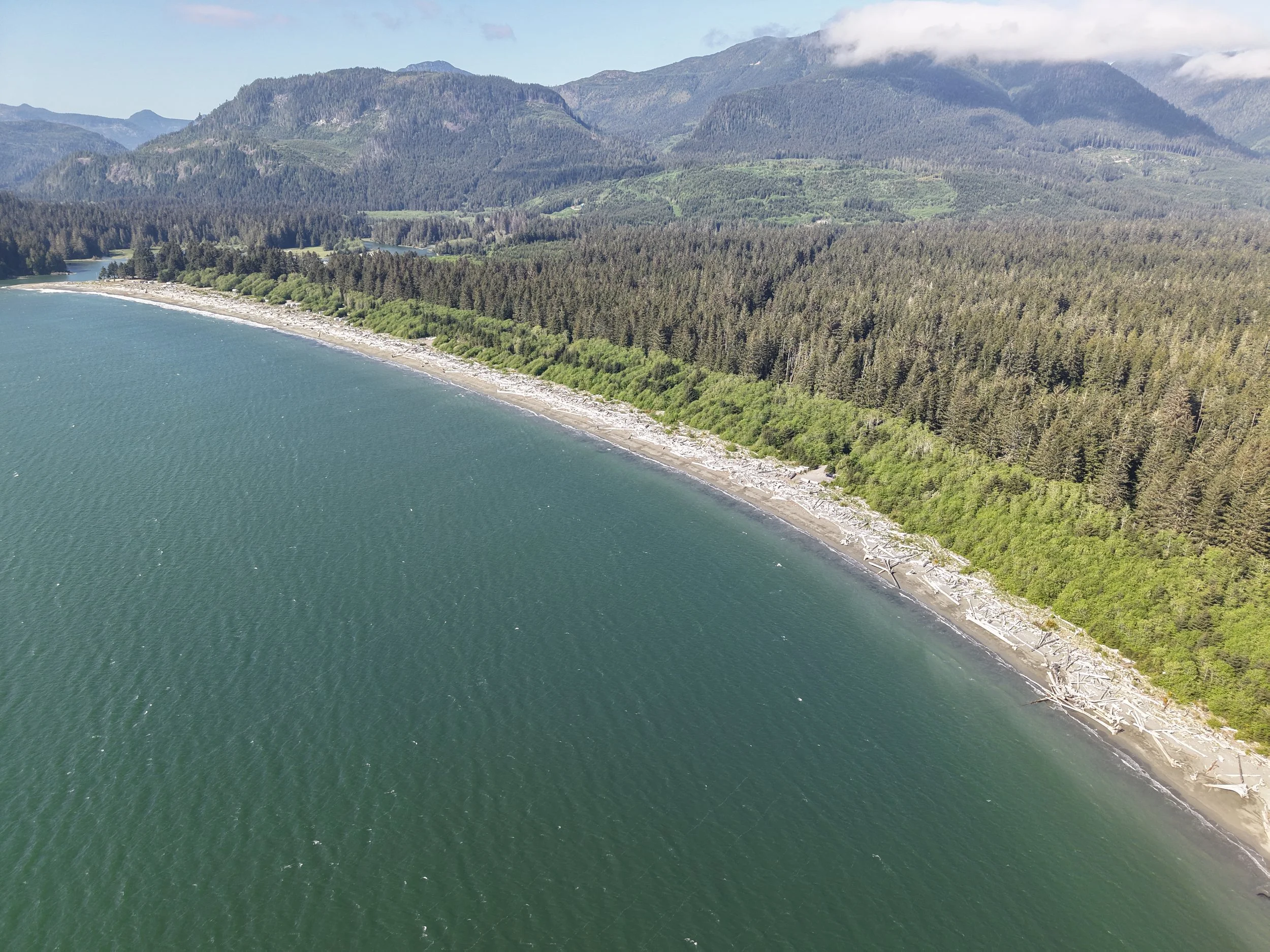

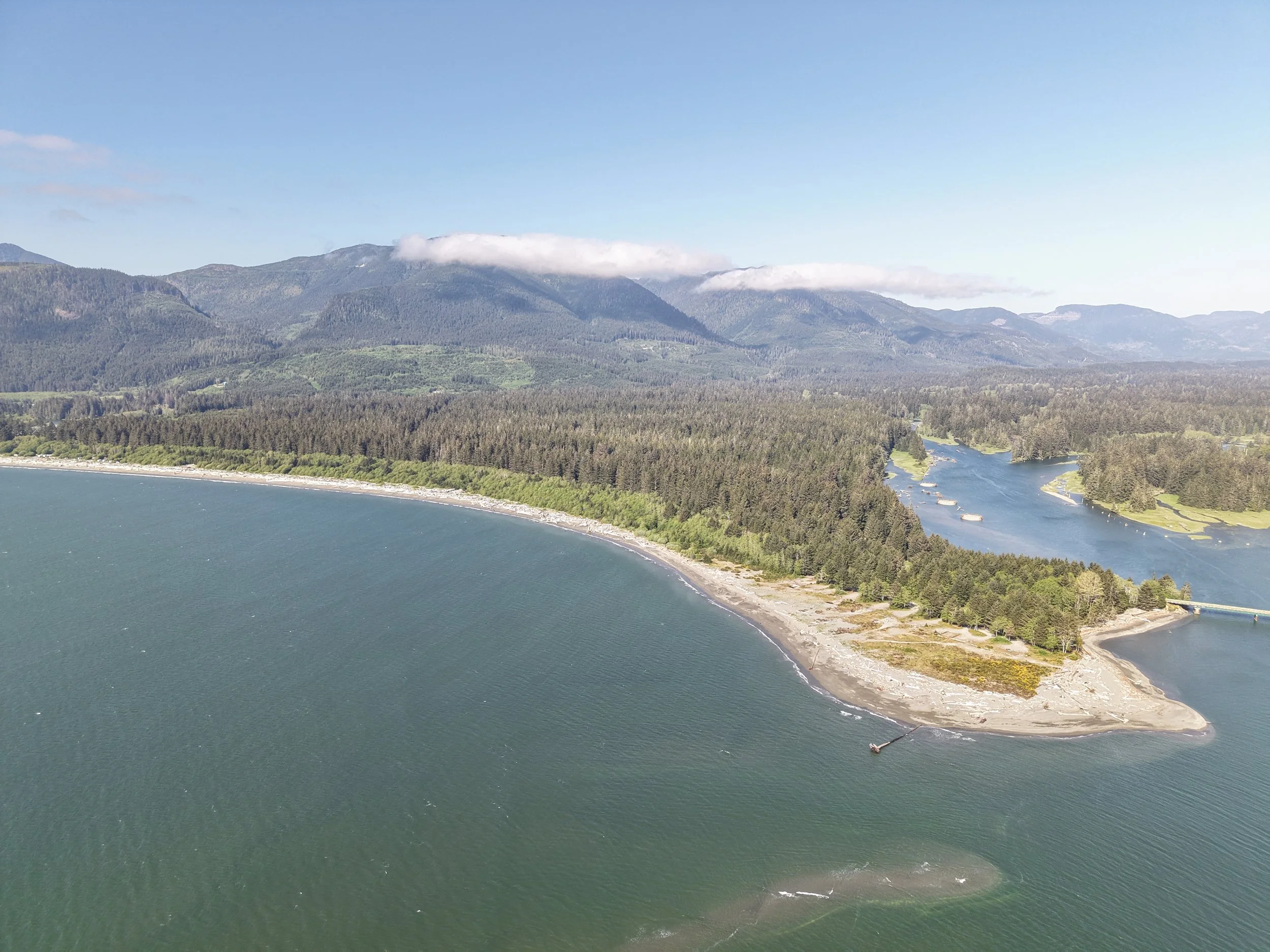
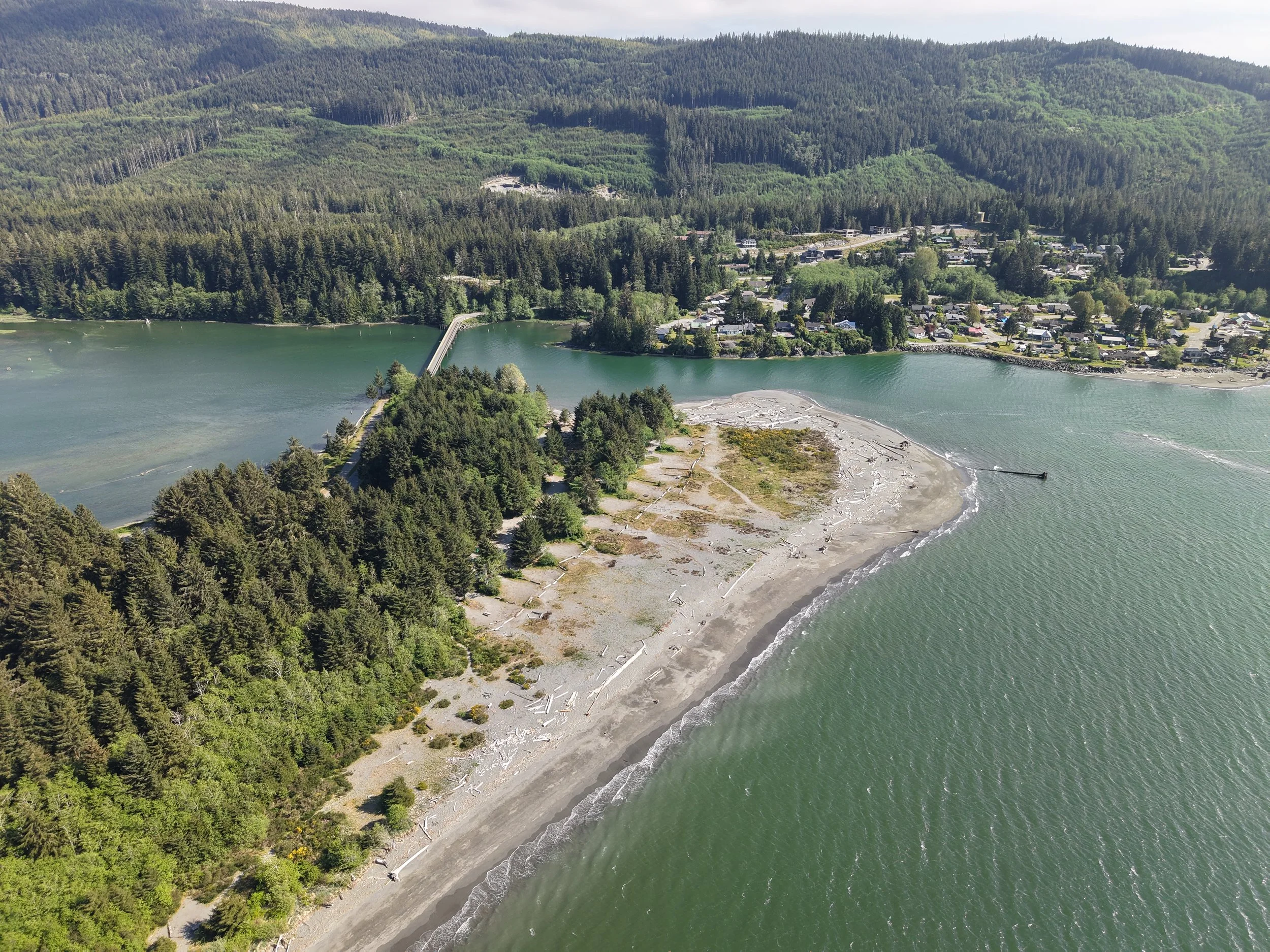

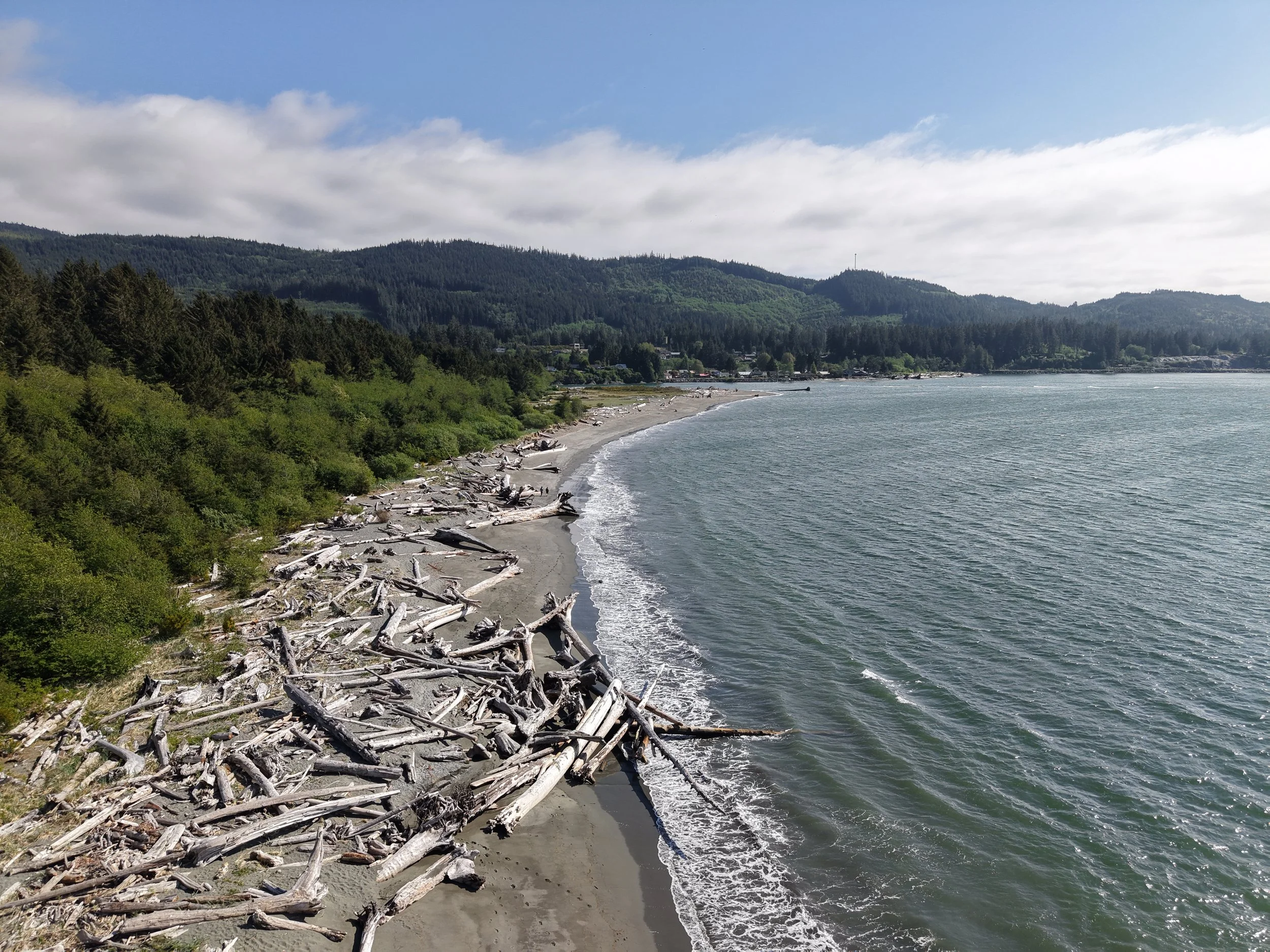



Port Renfrew is one of those places that still feels like you’ve actually gone somewhere.
Not just “we drove 20 minutes and found a different coffee shop” somewhere. I mean actually left town, got out of the routine, watched the road get rougher, the trees get bigger, and the cell service start making questionable life choices.
That kind of somewhere.
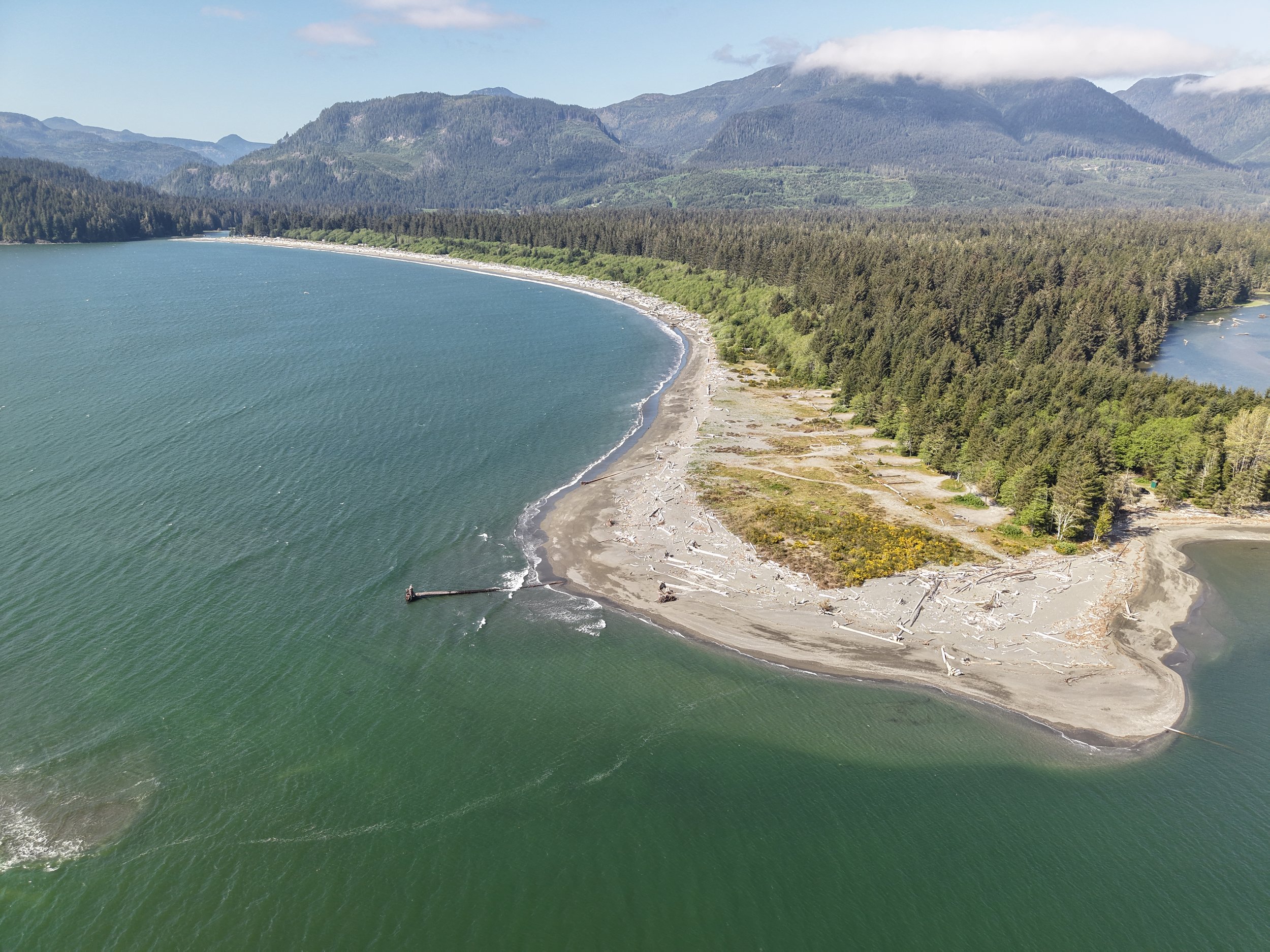
I was commissioned through Vancouver Island Drones to capture aerial photos of Pacheedaht Beach and the surrounding area, so we turned it into a family road trip. Drone gear in the truck, family along for the ride, and a full day ahead of us on the west coast.
Which sounds peaceful.
And it was.
Mostly.
Until the road between Sooke and Port Renfrew started doing what that road does best: reminding you that suspension components are not immortal.
My son, from the back seat, decided this was not a road issue. This was a Dad issue.
Every time we hit a bump — which was approximately every four seconds — he told me I needed driving lessons.
Not once.
Not twice.
Repeatedly.
Apparently, in his expert opinion, I had chosen to personally drive into every bump between Sooke and Renfrew, because that’s just the kind of reckless man I am.
Fair enough, buddy.
In my defence, that road is basically a chiropractic assessment with lane markings.
The funny part is, the logging road from Lake Cowichan to Port Renfrew is in way better shape. Like, weirdly better. Ten times better. Smooth enough that you start questioning reality a bit. The official highway from Sooke feels like it was designed by someone who wanted to test cup holders. The logging road feels like someone actually finished the job.
So if you’re heading out that way and debating the route, I’d seriously consider the Lake Cowichan side. It’s gorgeous, it feels more remote, and somehow your spine may thank you.
Eventually, we made it to Port Renfrew with the truck still in one piece and my driving reputation only slightly damaged.
And honestly, once you get there, the whole trip immediately feels worth it.
Pacheedaht Beach is absolutely stunning.
It has that proper wild West Coast feeling: long open beach, forested mountains, river, ocean, driftwood, and that rugged edge-of-the-Island mood that you just don’t get closer to town.
Most straightforward drone jobs around Vancouver Island are simpler than people expect: a short site visit, a planned flight, and usable photos or video delivered after. Most local projects are usually in the $200–$300 range, depending on location, scope, travel, and how much editing is needed.
This one was a little different because it was out in Port Renfrew, but the idea was the same: plan it properly, get the shots, and deliver something useful.
Victoria is beautiful. Sooke is beautiful. But Port Renfrew feels different.
Less polished.
Less busy.
More raw.
The kind of place where you stand there for a second and go, “Oh right. This is why people lose their minds over Vancouver Island.”
I was there to capture aerial imagery of the beach lands and surrounding area, and from above it’s even more impressive. The scale of the beach, the river mouth, the forest, the mountains, the way everything meets at the edge of the ocean — it all comes together in a way that’s hard to fully appreciate from the ground.
That’s one of the things I love about drone photography. It doesn’t just make a place look pretty. It helps you understand how a place fits together.
From the air, Pacheedaht Beach isn’t just a beach. It’s a whole landscape.
Ocean on one side.
River behind it.
Forest wrapped around everything.
Mountains rising in the background.
A small community tucked into one of the most beautiful corners of the Island.
Not a bad office for the day.
After flying and getting the shots, we had time to actually enjoy being out there, which is always the trick. It’s easy to turn every trip into “content” or “work” or “I should probably get one more angle.” But this one still felt like a family day.
A little work.
A little exploring.
A little beach time.
A little backseat commentary about my driving ability.
That’s balance.
We also stopped around the San Juan River Bridge, which might be one of my favourite little views in the area. Old-school single-lane bridge, green river water, forest everywhere, ocean just beyond it. It’s the kind of place where you really feel like you’ve left town and hit the real west coast.
There’s something about that area that just slows everything down.
Not in a boring way.
In a “you should probably stop rushing around like an idiot” way.
Port Renfrew is a great little escape from Victoria or Sooke if you haven’t been in a while. It’s not far in the grand scheme of things, but it feels far enough to reset your brain a bit. You get the road trip, the forest, the ocean, the big beach, the river, the sense that the Island is still a lot wilder than your daily routine makes it feel.
And if you’re into hiking, fishing, camping, photography, beach walks, or just getting out of town for the day, it’s hard to beat.
Just maybe prepare your passengers for the road if you take the Sooke side.
Or don’t.
Maybe you also need driving lessons.
Apparently I do.
Either way, it was a great day. A proper Vancouver Island road trip. Family in the truck, drone in the air, beautiful beach, rough road, and enough west coast scenery to make the bumps worth it.
Port Renfrew still has that feeling.
A little wild.
A little rough around the edges.
And absolutely worth the drive.
Related Reads
Hiring a Drone Pilot in Victoria, BC — What It Costs and What You Get
Straightforward pricing, what’s included, and what the process looks like if you need aerial photos, video, inspections, or a better look at something from above.
Teaching Kids to Fly a Drone (What Actually Works)
The basics that matter — where to start, what to avoid, and how to keep it fun without doing anything stupid, especially here in Canada.
DJI Neo 2 Review: The Best First Drone for Kids, Creators, and Wannabe Jedi
A tiny follow-me drone with palm launch, gesture control, prop guards, and just enough weird DJI wizardry to make you feel like you’re using the Force. Great for kids, creators, hikers, bikers, and anyone who wants a drone they’ll actually use.
Construction Drone Photography in Victoria: Simple Progress Photos From Above

Construction progress photos don’t need to be complicated.
Most of the time, the goal is simple: get a clear view of the site from above, document what has changed, and deliver photos or video that are actually useful.
For straightforward local drone photography, most projects fall in the $200–$300 range. For recurring construction progress work, simple repeat visits may be as low as $150 per visit depending on the schedule, scope, location, and delivery requirements.
The price mostly comes down to what you need captured, how often you need it, whether you want still photos or video, how the files need to be delivered, and how much coordination is required on site.
No mystery package. No inflated production quote. Just figure out what needs to be captured and price the job properly.
What Construction Drone Photography Is Usually For
Most construction drone work is about documentation.
Progress photos. Site overviews. Before-and-after shots. Repeat angles. Stakeholder updates. A clear record of what is happening on site.
It doesn’t always need to be cinematic. Sometimes it just needs to be clear, consistent, and easy to understand.
That is where drone photography makes sense. You can see the full site, the surrounding area, the access points, the layout, and the progress in a way ground-level photos usually can’t show.
Weekly, Bi-Weekly, or As Needed
Construction progress work can be set up a few different ways.
Some projects need weekly photos. Some only need bi-weekly updates. Some just need a few key milestone visits. Others need occasional ad hoc photos when something specific changes.
I’m flexible on how it’s structured. It can be billed per visit, monthly, or quoted as a project total if that makes more sense.
The important part is agreeing upfront on the schedule, what gets captured, and what is included in each visit.
What Affects the Price
A quick still-photo visit is very different from a more involved progress package.
The main factors are how often you need flights, how many photos you need per visit, whether you want the same repeat angles each time, whether you need video as well as stills, whether photos need editing or basic correction, whether files need to be labelled or organized, whether the site is active during the flight, and whether I need to coordinate with a site contact, foreman, project manager, or safety lead.
Access, timing, and airspace can also affect the job.
That is why it is better to price construction progress work based on the actual scope.
If it is simple, I keep it simple.
If it needs more organization, coordination, or editing, that gets factored in.
Live Construction Sites Need Planning
A construction site is not the same as flying over an empty beach at sunrise.
There are people, equipment, vehicles, materials, hazards, and site rules to think about.
Before flying, I need to understand the site.
Where can I safely take off and land? Will crews be active? Is there a better time to fly when fewer people are on site? Is someone on site coordinating access or safety? Are there areas I need to avoid? Can the flight be done from outside the work area, or does it require site access?
Sometimes the best option is flying during off-hours or on a weekend when the site is quieter. Sometimes it makes more sense to coordinate with whoever is responsible on site and work around the active operation.
Either way, it gets planned before the drone goes up.
Site Survey and NAV CANADA
Every commercial drone flight starts with planning.
For construction work, that means a site survey, airspace check, weather review, takeoff and landing plan, and NAV CANADA flight plan or authorization when required.
Victoria and Vancouver Island are not empty airspace. Depending on the location, there may be controlled airspace, floatplane activity, helicopters, nearby buildings, people, traffic, or other restrictions to consider.
That is the part you do not want figured out on the fly.
I’m Transport Canada Advanced-certified and insured, and I handle the planning side before showing up.
The goal is simple: get the photos safely, legally, and without making the site’s day harder.
What You Get Back
For most construction progress jobs, delivery can be simple.
That might mean a folder of high-resolution aerial photos from each visit. It might mean repeat angles over time. It might mean labelled folders by date. It might mean a few short video clips. It might mean basic edits so the images are clean and usable.
Or it might just mean raw files delivered quickly so your team can use them however they need.
The delivery can be as simple or organized as the project requires.
The important thing is knowing that upfront.
Simple, Useful, Repeatable
Good construction drone photography does not need to be flashy.
Most of the time, it needs to be useful.
Same site. Consistent angles. Clear files. Safe operation. Easy delivery.
Whether you need one progress update, weekly photos, bi-weekly monitoring, or a few milestone visits over the life of a project, the process should be straightforward.
Send me the location, the schedule you’re thinking about, and what you need captured.
I’ll take a look and tell you what makes sense, what it will likely cost, and whether there are any site, safety, or airspace issues to plan around.
Related Reads
Hiring a Drone Pilot in Victoria, BC — What It Costs and What You Get
Straightforward pricing, what’s included, and what the process looks like if you need aerial photos, video, inspections, or a better look at something from above.
Teaching Kids to Fly a Drone (What Actually Works)
The basics that matter — where to start, what to avoid, and how to keep it fun without doing anything stupid, especially here in Canada.
DJI Neo 2 After 3 Months — Still Worth It?
What happens after the novelty wears off. Real use, real bumps, and why this thing still comes everywhere with us without even thinking about it.
DJI Lito Lineup vs Mini Series: The Minis Just Got Hard to Recommend
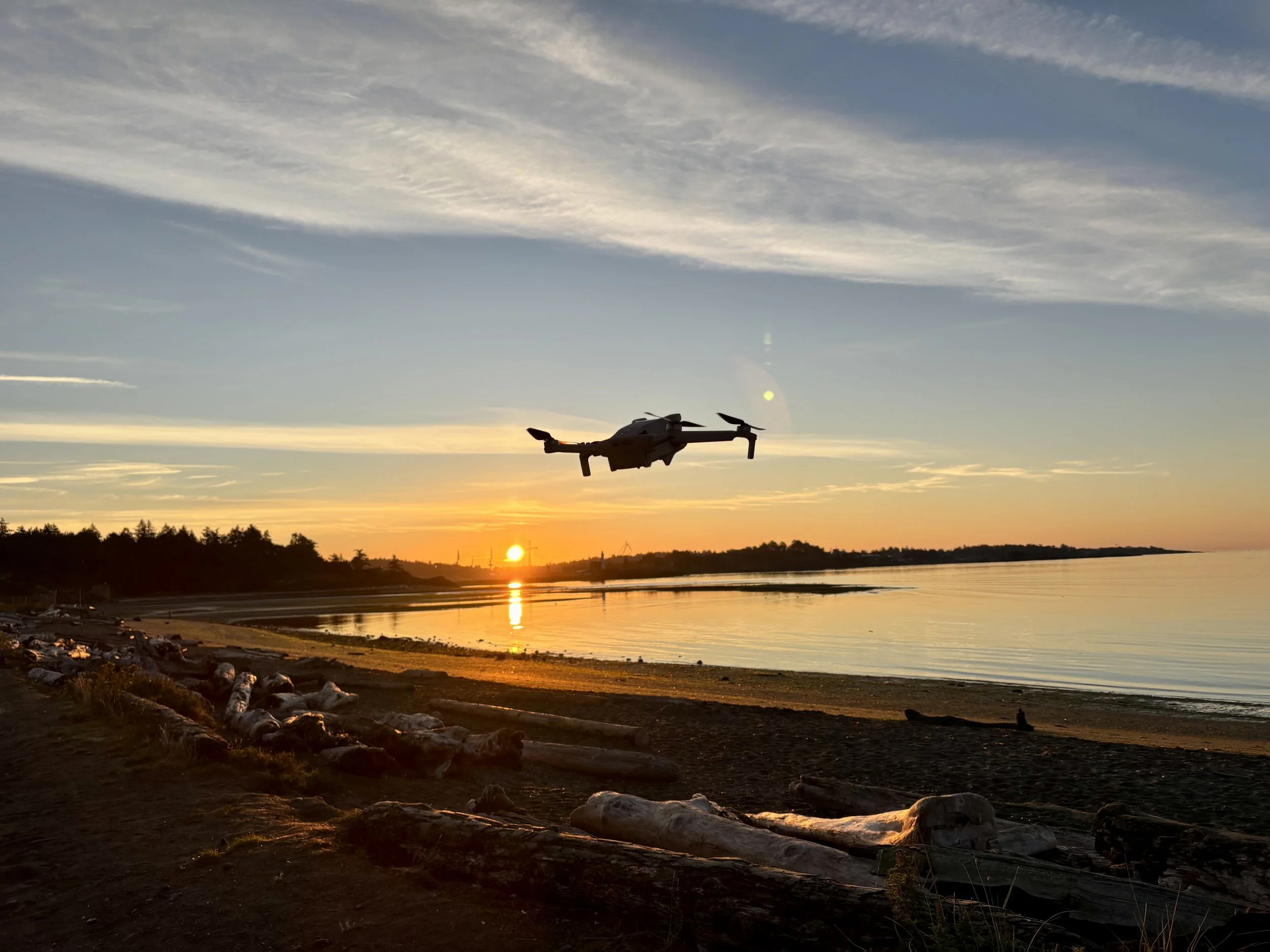
My DJI Mini 3 at sunrise — the gateway drone that started the whole DJI problem. The Lito lineup might make that old Mini recommendation a lot harder now.
I don’t think DJI has officially killed the Mini series.
There was no funeral.
No tiny black armbands on the propellers.
No sad little slideshow set to Sarah McLachlan.
But if the DJI Lito 1 and DJI Lito X1 are the future of DJI’s entry-level drone lineup, then the old Mini recommendation just got a lot harder to make.
And by “a lot harder,” I mean I’m not sure I’d recommend most of them anymore.
Not because the Minis are bad.
They’re not.
The DJI Mini 3 was my gateway drug. My first beer. The innocent little “I’ll just try one” moment before DJI had me looking at batteries, controllers, cameras, microphones, ND filters, and pretending I didn’t have a problem.
The Mini 4 Pro is still a very capable drone too.
Respect where respect is due.
But the Lito lineup just walked in with sub-249g weight, modern obstacle sensing, ActiveTrack, strong camera specs, beginner-friendly features, and aggressive pricing.
Good grief, DJI.
I went out for coffee and you rearranged the whole damn shelf.
The Mini Series Used to Be the Easy Answer
For years, if someone asked what drone they should buy, the Mini lineup was the obvious place to start.
Small.
Light.
Portable.
Easy to fly.
Good enough camera.
Under 250 grams.
That last part matters a lot in Canada.
The Mini lineup made sense because it gave people a real DJI drone without jumping straight into heavier, more expensive gear. You could start with something like a Mini 3, learn the basics, take good photos and video, and then eventually start looking at the next shiny thing.
Which, unfortunately, is exactly what happened to me.
Mini 3.
Then Air 3S.
Then Osmo Nano.
Then Mic Mini.
Then suddenly I’m having conversations with myself about whether a drone counts if it was technically bought for my son.
That’s how they get you.
That’s the good good DJI.
But the old Mini path had a pretty obvious upgrade ladder.
If you bought the more basic Mini, you eventually started wanting the better one. More obstacle sensing. Better tracking. Better video. More features. Better camera.
The starter drone got you hooked, then the Pro model started whispering from across the room.
That was the game.
The Lito lineup messes with that game.
The Lito 1 Is Not Some Sad Little Starter Drone
The DJI Lito 1 is supposed to be the more basic model in the lineup.
Basic, apparently, has gotten a little rude.
But the short version is this: the Lito 1 is not some sad little beginner drone you buy, outgrow, and immediately start side-eyeing the next model.
It has a 1/2-inch sensor.
It shoots 4K video.
It has modern obstacle sensing.
It has tracking features.
It has the quick-shot, easy-flying DJI stuff people actually use.
And it comes in under 249 grams.
That is not “baby’s first potato drone.”
That is a pretty sexy spec sheet for something sitting in the entry-level lane.
And this is the problem for the Mini series.
The Lito 1 already gives a lot of people the stuff they used to upgrade for.
Obstacle sensing.
Tracking.
Quick shots.
A real DJI camera experience.
Sub-249g weight.
Simple flying.
Beginner-friendly features that don’t feel like the drone was built by a committee whose main goal was making sure you got annoyed and bought the expensive one.
If someone is buying their first drone now, the Lito 1 makes a lot of older Mini recommendations awkward.
Because what exactly are they missing that they’ll immediately need?
That’s the big question.
And for a lot of normal buyers, the answer might be: not much.
The Lito X1 Makes the Argument Even Worse
Then there’s the DJI Lito X1.
This is where the Mini lineup starts looking like it showed up to its own retirement party by accident.
The Lito X1 is the one that really makes me wonder where the Mini series fits now.
You get a stronger camera.
You get better video features.
You get 42GB of internal storage, which is one of those things you don’t fully appreciate until you forget an SD card and feel your soul leave your body.
You get obstacle sensing.
You get tracking.
You get the smart-shot features.
You get the modern DJI convenience.
And you still get the sub-249g advantage.
Come on.
That is not a beginner drone in the old sense.
That is a beginner drone wearing a fake moustache and pretending it isn’t here to ruin the Mini section of DJI’s website.
If you buy the Lito X1, what are you actually desperate to upgrade for?
That’s where this gets interesting.
With the old Mini ladder, the upgrade path was obvious. You started with the more basic model, then eventually wanted the Pro model.
With the Lito X1, that pressure is not nearly as obvious.
You already have the camera.
You already have the sensing.
You already have the tracking.
You already have the features.
You already have the storage.
You already have a proper lightweight DJI drone that should keep a lot of people happy for a long time.
So unless you want to jump to something like the DJI Air 3S, Mavic series, or a more serious dual-camera/prosumer setup, the Lito X1 may not feel like a gateway drone at all.
It might just be the drone.
That matters.
Because the best entry-level drone is not always the one that gets you to upgrade the fastest.
Sometimes the best entry-level drone is the one that doesn’t immediately make you feel like you cheaped out.
This Is Why the Lito Lineup Feels Different
The Mini lineup always had a bit of gateway drone energy.
That is not an insult.
I say that with love.
My Mini 3 absolutely got me hooked.
But once you started flying more, it was easy to see the ladder.
You wanted more sensing.
More tracking.
More confidence.
More features.
More camera.
More everything.
The Lito lineup feels different because even the cheaper model starts higher up the ladder.
You are not buying something that feels obviously stripped down just to make the next model look better.
The Lito 1 already looks like enough drone for a lot of people.
The Lito X1 looks like enough drone for even more people.
And that changes the upgrade conversation.
Because if someone buys a Lito 1, they may not be immediately dreaming about replacing it.
If someone buys a Lito X1, they might be set for a long time.
Not forever.
Let’s not get dramatic.
This is DJI.
They could release a new drone tomorrow morning and half of us would start sweating like raccoons in a Best Buy.
But realistically, the Lito X1 gives a normal buyer a lot of runway.
You are not buying a toy.
You are not buying a compromise with propellers.
You are buying a lightweight DJI camera drone with enough modern features that the upgrade itch might actually shut up for a while.
That is new.
And frankly, rude.
The New Sensing System Is a Big Part of This
This is one of the quieter reasons the Lito lineup is so interesting.
DJI seems to be using a newer, lower-cost sensing approach across these smaller drones instead of relying on the older “let’s bolt a bunch of sensors everywhere and charge Mini Pro money” model.
That sounds like spec-sheet soup, but the practical version is simple:
DJI found a way to give cheaper drones modern obstacle awareness without making them feel cheap.
That is a big deal for beginners.
Because obstacle sensing and tracking are exactly the kinds of features that make a new pilot feel more comfortable.
Nobody buys their first drone hoping to immediately turn it into a plastic confetti cannon.
The sensing system does not mean you can fly like an idiot.
Please don’t.
We have enough drone people making the rest of us look bad already.
But it does mean the entry-level drones are becoming less barebones.
And once the cheap drones stop feeling cheap, the Mini ladder starts getting wobbly.
Canada Makes This Even More Interesting
This whole thing gets extra spicy in Canada.
Because here, under 250 grams actually matters.
It is not just a cute marketing sticker.
A true sub-250g drone changes the ownership experience. It lowers the barrier. It makes casual flying easier. It is one of the main reasons the Mini lineup became so popular in the first place.
And now DJI has the Lito 1 and Lito X1 sitting in that sub-249g category while the Mini 5 Pro is out there having bathroom-scale drama.
I have already gone deeper on the Mini 5 Pro weight situation in another article, so I won’t beat that poor little scale to death here.
But the point is pretty simple.
If the whole reason someone wants a Mini in Canada is because they want a small, capable, micro-style drone, the Lito lineup is suddenly impossible to ignore.
Especially if the Mini 5 Pro is making people ask, “Okay, but what does it actually weigh when I put it on my own scale?”
That is not a great place for the Mini series to be.
The Lito lineup shows up looking cleaner, simpler, cheaper, and very clearly aimed at people who want lightweight DJI capability without the baggage.
That is a problem for the Minis.
So Who Still Buys a Mini?
This is where it gets awkward.
I am not saying every Mini is suddenly useless.
The Mini 4 Pro is still a fantastic drone.
If you already own one, relax. Nobody is coming to take it away.
Probably.
If you find one at a great price, it may still make sense.
If you specifically want features the Lito lineup does not offer, or you prefer the Mini ecosystem, fine. There are still reasons.
But for a new buyer starting fresh?
That is where I struggle now.
If someone wants a capable beginner drone, the Lito 1 makes a pile of sense.
If someone wants a more serious sub-249g drone with better camera performance, stronger features, internal storage, and more long-term usefulness, the Lito X1 makes even more sense.
If someone wants to move beyond the lightweight drone world entirely, then I would start looking at something like the DJI Air 3S.
That is basically where I land.
Lito 1 for value.
Lito X1 for the serious lightweight option.
Air 3S when you want more drone, more camera flexibility, more confidence in wind, and you are ready to stop pretending you only need one drone.
Which is how the sickness starts, by the way.
Meetings are at sunrise.
Bring charged batteries.
The Minis Are Not Dead, But They Look Tired
The Mini series is not officially dead.
DJI has not called time of death.
But the Lito lineup just made the Mini recommendation a whole lot harder.
The Lito 1 and Lito X1 are not just cheap little beginner drones. They are capable, modern, sub-249g drones with enough features that a lot of people may not feel the need to upgrade right away.
That is the difference.
The Mini series used to be the obvious answer.
Now it feels like the answer depends on which Mini, at what price, and why you are not just buying a Lito instead.
That is a rough place for a lineup to be.
And once a DJI product line starts feeling awkward, I usually assume DJI has already moved on and just forgot to tell the rest of us.
So no, I’m not holding a candlelight vigil for the Minis just yet.
But if the Lito lineup is what DJI’s entry-level future looks like, the Mini series better start updating its résumé.
Related Reads
Drone Accessories I Actually Recommend in Canada
You do not need 47 drone accessories. Just the practical stuff that keeps you flying longer, protects your gear, and saves you from ruining a flight before it even starts.
Which DJI Drone Should You Buy First: Neo 2, Lito 1, or Lito X1?
A practical, slightly biased look at the Neo 2, Lito 1, and Lito X1 — from the flying yellow Labrador to the first real drone and the one you’re least likely to outgrow.
Hiring a Drone Pilot in Victoria, BC — What It Costs and What You Get
Straightforward pricing, what’s included, and what the process looks like if you need aerial photos, video, inspections, or a better look at something from above.
DJI Neo 2 Review: The Best First Drone for Kids, Creators, and Wannabe Jedi
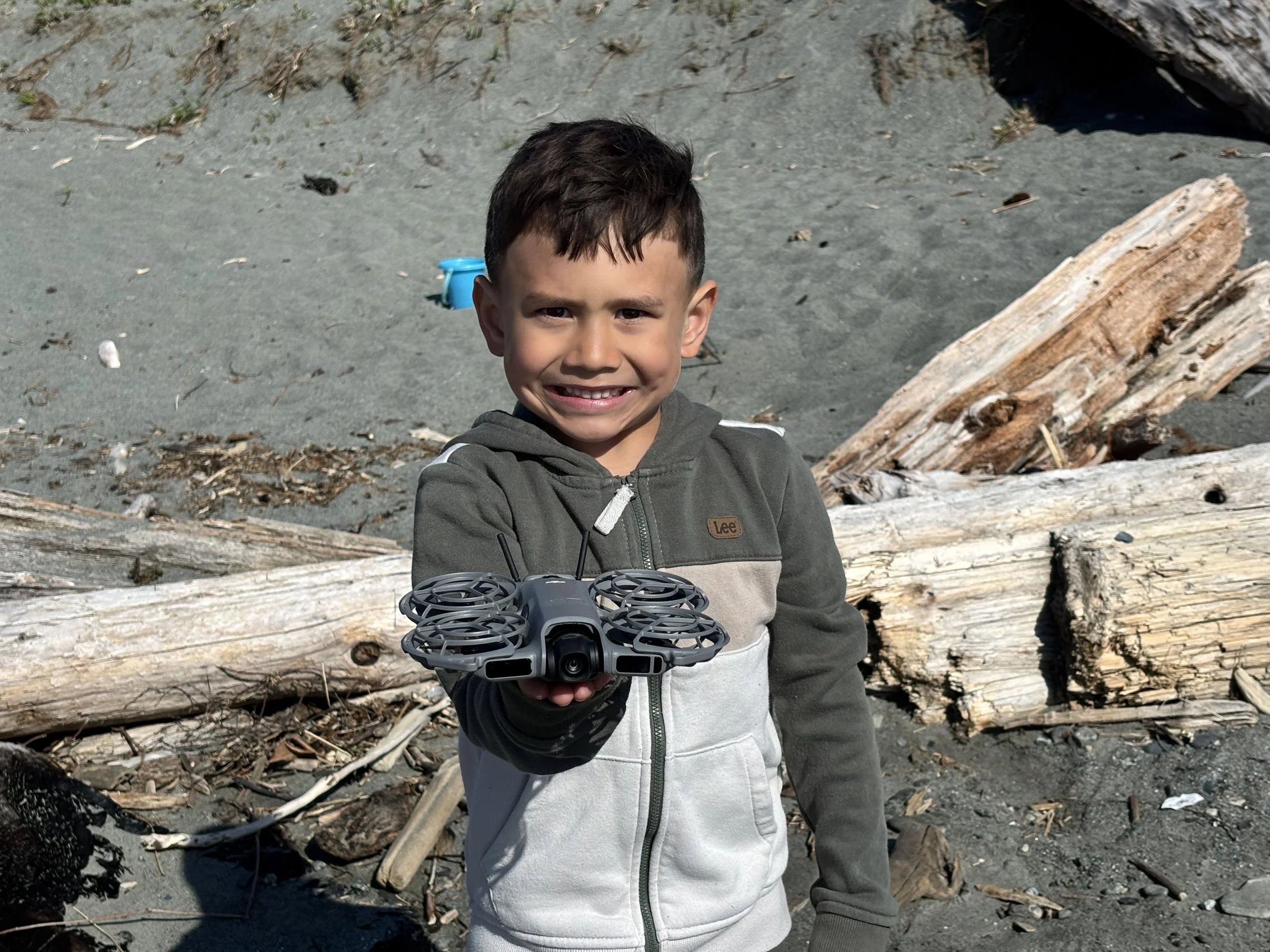
The DJI Neo 2 is small, tough, guarded, and simple enough for a kid to enjoy — which is exactly why I barely get to use it.
I keep trying to explain the DJI Neo 2 without sounding like I’ve joined a tiny flying robot cult, but honestly, DJI is making that difficult.
This thing is ridiculous.
And I don’t mean ridiculous in the usual “tech reviewer read a spec sheet and now needs a cold shower” way. I mean ridiculous in the real-world, pull-it-out-of-your-pocket, press-a-button, and suddenly-you-have-a-personal-videographer way.
No controller required.
No connecting to a remote.
No waiting around for the whole “please stand by while I speak to satellites” routine.
You press a button, it launches from your hand, hovers in front of you, and waits for instructions like a tiny obedient camera Labrador retriever.
And somehow, that is now a thing we can just buy.
Good, good DJI.
This Thing Makes Me Feel Like I’m Using the Force
The part that still gets me is how little friction there is.
With a regular drone, even a small one, there is usually a process. Take it out. Unfold it. Turn on the controller. Connect everything. Wait for satellites. Check your settings. Make sure you’re not about to do something stupid. Then maybe you fly.
With the Neo 2, it’s more like:
Take it out.
Press a button.
There it is.
It launches from your hand, hovers in front of you, and waits.
Then you hold up your palm and start moving your hand, and the drone responds.
You can adjust the angle it films you from. You can change the distance. You can reframe the shot with your hand. You can basically stand there directing this tiny flying camera with your palm like you’re manipulating it with the Force.
And I’m sorry, but that is outstanding.
I have wanted to be a Jedi and use the Force since I was a little boy. I did not expect that dream to be fulfilled by a tiny grey DJI drone my son got for Christmas, but here we are.
Life is strange.
Tiny drone in the air. Dad on the beach, holding his hand out like he’s about to move an X-wing out of a swamp.
I’ll take it.
It Might Be the Best Drone for Kids
I bought the Neo 2 for my son for Christmas.
And to be clear, it is his drone.
That was the deal. It was his present. I’m not trying to rewrite history here like some greasy dad trying to repossess a toy because he suddenly realized it’s awesome.
But I did think I’d get to play with it more.
That was my mistake.
Apparently, when you buy your kid an awesome drone, they develop this strange attitude where they believe it belongs to them because it was “their Christmas present” and “Dad, you said it was mine.”
Hard to argue with that kind of airtight legal case.
But honestly, I can’t think of a better first drone for a kid.
The prop guards matter. The size matters. The durability matters. The fact that it can launch and land from your hand matters. The low-stress flying matters. The price matters. This is not like handing a kid a bigger camera drone and hoping they don’t turn your Christmas present into a warranty claim with propellers.
The Neo 2 feels like it was built for exactly this kind of use.
Fun. Tough. Simple. Cheap enough that you’re not sweating bullets every time it lifts off.
If you’re thinking about buying one, I’d personally go for the kit with the extra batteries and charging hub rather than the absolute base package. This is exactly the kind of drone that gets pulled out several times over the course of a day, so having fresh batteries ready is actually useful.
→ Check current DJI Neo 2 bundle pricing on Amazon
It’s Not Just a Toy
This is the part people might miss.
Yes, it is fun.
Yes, it is easy.
Yes, it is great for kids.
But it is not just a toy.
The footage is genuinely useful. The tracking is genuinely useful. The hands-free operation is genuinely useful. For family clips, behind-the-scenes stuff, walking shots, biking shots, quick social media videos, casual travel moments, and “I don’t want to set up a whole drone operation right now” situations, it makes a ton of sense.
That’s what makes it so good.
It fills a completely different role than my Air 3S.
The Air 3S is my serious drone. That’s the one I bring when the shot matters, the wind matters, the client matters, or I want dual cameras and proper confidence in the air.
The Neo 2 is the one you bring because it is easy.
It’s the drone that actually gets used because there is almost no barrier between thinking “this would be a cool shot” and getting the shot.
That is probably its greatest trick.
It removes the boring parts.
See the Neo 2 in the Real World
This is probably a better explanation of why I like the Neo 2 than another thousand words of specs.
We took it down to Esquimalt Lagoon one morning while I was flying the Air 3S, and Blake basically did his own thing with the Neo 2 — gesture controls, follow modes, beach flying and generally screwing around with it.
That’s exactly the kind of use I’m talking about here. No elaborate setup. No controller required. Just pull it out and use it.
Your Own Personal Videographer
The tracking is where this little thing really starts making sense.
Walking? It follows.
Running? It follows.
Biking? That’s basically the whole point.
Trying to look more adventurous than you actually are while walking down a beach five minutes from home? Also covered.
You can set it up, let it track you, and suddenly you’ve got movement, framing, and a shot that looks like someone else is there filming.
Add a microphone, and now you’ve basically got a tiny personal videographer.
A tiny personal videographer that doesn’t need coffee, doesn’t roll its eyes, and doesn’t tell you the shot would look better if you sucked in your gut a little.
Which is rude, because it probably would.
For family stuff, kid videos, quick adventures, bike rides, walks, or just messing around outside, that is huge. It makes creating video feel less like setting up gear and more like just doing the thing.
That’s where the Neo 2 shines.
The Wind Is the Catch
Now, before we all start holding hands and singing to the tiny drone, there is one obvious drawback.
Wind.
It is still a small, lightweight drone.
I live on Vancouver Island, so wind is not some rare special event. Wind is just part of the scenery. Beach wind, ocean wind, hill wind, weird sideways parking lot wind. We have the full menu.
And that is where the Neo 2 has limits.
This is not the drone I’m taking out for a proper coastal shoot when the breeze is coming off the ocean and the gulls are flying backward. That’s Air 3S territory.
The Neo 2 can handle more than you might expect, but it is still not a heavy, planted, serious work drone. It is light. That’s part of why it’s so fun and easy, but physics remains annoyingly undefeated.
So no, I don’t look at the Neo 2 as the drone for everything.
It is not.
But for what it is meant to do, it is shockingly good.
I Still Haven’t Really Flown It With the Controller
Here’s the embarrassing part.
I still haven’t properly flown it with a controller.
Not because I don’t want to.
Because, as previously mentioned, my son seems to think his drone belongs to him.
Very inconvenient.
But I do think the Neo 2 would be a lot of fun with the controller. It feels like it has enough punch and personality to be zippy without being terrifying. Add in the FPV option, and suddenly this little thing has more room to grow than most entry-level drones.
That matters.
A lot of beginner drones are fun for about twelve minutes. Then you realize you’ve basically bought a hovering potato with a camera and the excitement wears off.
The Neo 2 feels different.
It has enough modes, enough personality, and enough different ways to use it that I don’t think people will get bored of it right away. Especially kids. Especially families. Especially anyone who wants something fun and capable without turning every flight into a full pre-flight ritual.
Why I Like It More Than a Typical Beginner Drone
A lot of beginner drones feel like stepping stones.
You buy one, you fly it a bit, you learn the basics, and then pretty quickly you start thinking about the next one.
That happened to me with the Mini 3 in a way. It was my gateway drug into DJI, no question. The first beer. The one that started the whole terrible spiral into batteries, controllers, cameras, microphones, and me pretending I don’t have a problem.
But the Mini 3 was still a traditional drone.
Great drone, but traditional.
The Neo 2 is different because it does more than just teach you how to fly. It teaches you how much fun drone footage can be when the setup doesn’t get in the way.
That’s why I think it has more staying power.
You can use it as a kid’s drone.
You can use it as a follow camera.
You can use it for family clips.
You can use it for biking.
You can fly it with gestures.
You can fly it with your voice.
You can connect a controller.
You can go down the FPV rabbit hole if you really want to make poor financial decisions with confidence.
It’s not just “baby’s first drone.”
It’s a tiny flying camera system with enough flexibility to keep being fun after the novelty wears off.
This Is the Entry-Level Drone I’d Recommend
At this point, I think the Neo 2 is probably the best entry-level drone there is.
Not because it has the biggest camera.
Not because it is the best in wind.
Not because it replaces a proper camera drone.
It doesn’t.
It’s the best entry-level drone because it removes the boring parts.
It lets people fly, film, experiment, chase themselves around, make mistakes, laugh, learn, and actually enjoy the thing without needing to become a full-time drone nerd first.
That’s huge.
For kids, I think it’s brilliant.
For adults who want something easy, it’s brilliant.
For families, travel, quick clips, behind-the-scenes videos, bike rides, walks, and general messing around, it’s brilliant.
And for the price, I still think it is kind of insane.
No Regrets
I do not regret buying the DJI Neo 2 for my son.
Not even a little.
I just regret that I apparently bought myself almost zero access to it.
That was poor planning on my part.
But watching a kid use this thing and seeing how quickly the technology disappears into the fun of it — that’s the part that really sells me. He is not thinking about specs. He is not thinking about sensors or transmission systems or camera modes.
He is just flying.
And honestly, that might be the best compliment I can give the Neo 2.
It makes drone flying feel simple again.
Pull it out.
Press the button.
Wave your hand around like a Jedi using the Force.
Then when you’re done, hold out your palm and it comes back and lands in your hand like a well-trained Yellow Lab that just happens to have propellers and a camera.
I don’t care how old you are — that’s cool.
And if you’re thinking about getting one, I’d check DJI directly for the latest price, specs, and bundle options — because with DJI, there’s always another combo, controller, battery, or tiny financial trap waiting around the corner.
That’s the good good DJI.
Related Reads
Drone Accessories I Actually Recommend in Canada
You do not need 47 drone accessories. Just the practical stuff that keeps you flying longer, protects your gear, and saves you from ruining a flight before it even starts.
Which DJI Drone Should You Buy First: Neo 2, Lito 1, or Lito X1?
A practical, slightly biased look at the Neo 2, Lito 1, and Lito X1 — from the flying yellow Labrador to the first real drone and the one you’re least likely to outgrow.
Hiring a Drone Pilot in Victoria, BC — What It Costs and What You Get
Straightforward pricing, what’s included, and what the process looks like if you need aerial photos, video, inspections, or a better look at something from above.
DJI Air 3S vs Mini 5 Pro in Canada: When Bigger Still Makes Sense
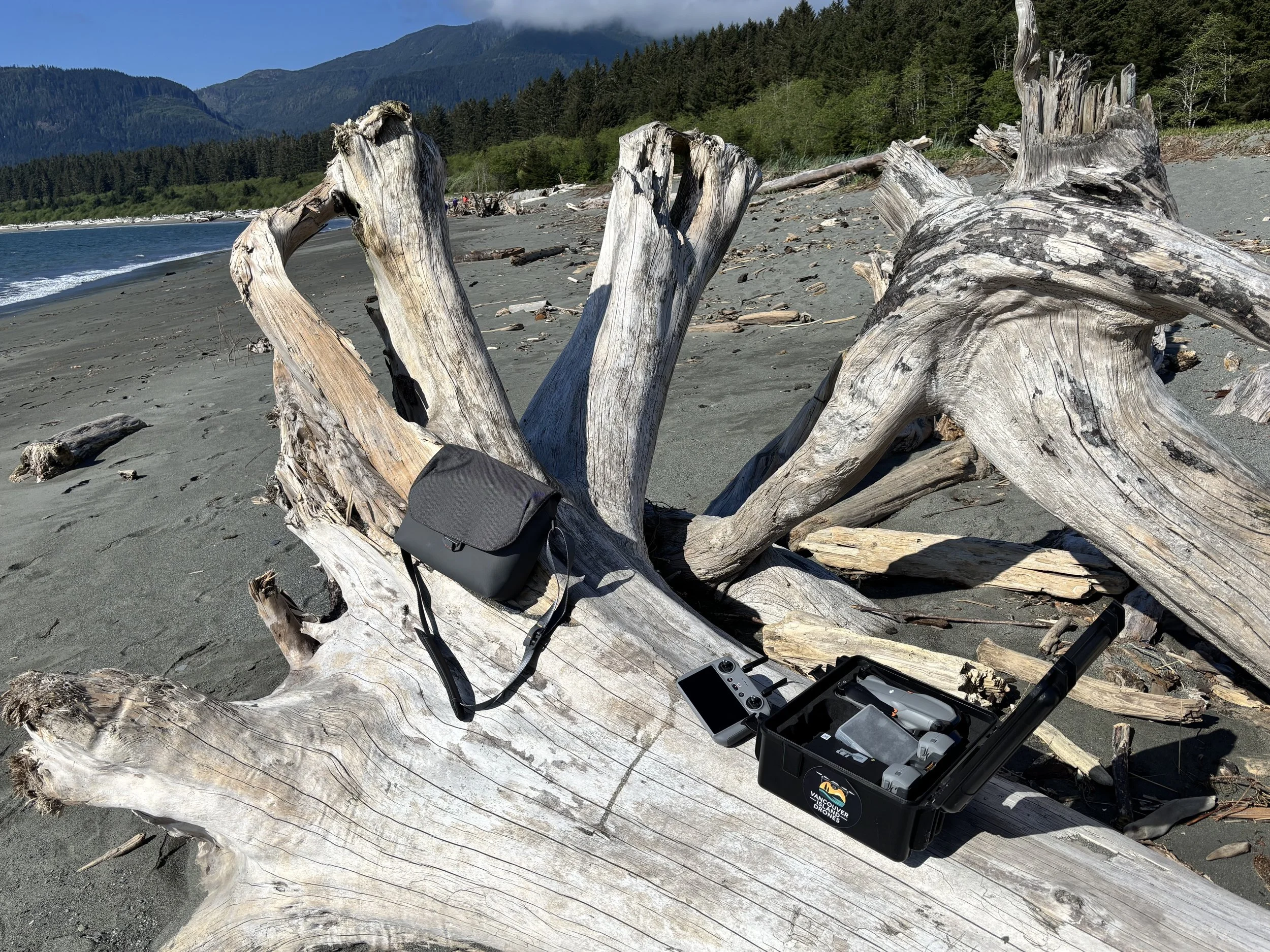
The DJI Air 3S on a windy Vancouver Island beach — exactly the kind of place where bigger starts making sense.
The DJI Mini 5 Pro is a weird drone to talk about in Canada.
Not because it’s bad.
It is absolutely not bad. On paper, it’s kind of ridiculous. A 1-inch sensor, strong video specs, great obstacle sensing, internal storage, modern transmission, and all the usual DJI wizardry stuffed into something that still wants to call itself a Mini.
The problem is the scale.
And look, I’m not exactly the guy to start pointing fingers at something for tipping the scales a little higher than recommended. I’ve never met a pizza I didn’t like, and I’m not standing here pretending I’m built like a carbon-fibre racing drone.
But with drones in Canada, weight actually matters.
The whole magic of the Mini lineup has always been the sub-250g category. That’s the trick. That’s why so many people buy them. A true micro drone gives you flexibility. It keeps things simpler. It lowers the barrier for casual flying, travel, family stuff, quick photos, and those “I just want to throw the drone up for a few minutes without turning this into a Transport Canada homework assignment” moments.
But if the Mini 5 Pro tips over 250 grams in real life — and plenty of people have been talking about exactly that — then the buying decision changes fast.
Because at that point, you have to ask the annoying question:
If it’s not comfortably a micro drone in Canada, is it still the obvious choice?
I’m not sure it is.
If you’re leaving micro territory, what are you actually gaining?
This is where the Air 3S starts to become a much more interesting comparison.
Normally, comparing an Air 3S to a Mini would feel a little unfair. The Air 3S is bigger, heavier, more expensive, and less pocket-friendly. No argument there.
But if the Mini 5 Pro loses some of its Canadian micro-drone magic, then suddenly the question is not just “which drone is smaller?”
The question becomes:
Which drone gives you more for the rules you may already be dealing with?
And that’s where the Air 3S starts looking pretty damn good.
The Air 3S is not pretending to be a micro drone. It never was. It is a larger, more serious flying camera with a bigger battery, dual cameras, and the kind of confidence that matters when you’re flying somewhere other than a perfectly calm soccer field at golden hour.
It knows what it is.
No identity crisis. No bathroom scale drama. No standing there holding its breath hoping it comes in under 250.
The Mini 5 Pro is still seriously capable
To be fair, the Mini 5 Pro is a very capable drone.
If it fits your life, your rules, your comfort level, and your actual measured weight situation, I completely understand why someone would want one. The camera is strong. The size is convenient. The specs are impressive. For travel, family use, social media, quick clips, and casual flying, it makes a ton of sense.
And if you’re mostly flying for yourself, hiking with it, travelling light, or shooting vertical content, the Mini 5 Pro has a lot going for it.
That rotating gimbal thing is clever too.
Do I personally need my drone camera doing gymnastics like it’s trying out for Cirque du Soleil? Not really.
I get why people like it. I can see the appeal for vertical video and social content. It looks cool, especially on drones like the Mavic series where the whole camera head has that more mechanical, purposeful look.
But for the way I shoot — coastlines, properties, beaches, construction-style visuals, tourism scenes, and general Vancouver Island work — it’s not the feature that sells me.
For me, the second camera on the Air 3S is way more useful.
The Air 3S dual-camera setup is not a gimmick
This is the part I don’t want to brush past.
The second camera on the Air 3S is awesome.
Not “neat little bonus feature” awesome.
Actually useful awesome.
The wide camera gets you the big establishing shots: coastline, beaches, properties, landscapes, the kind of aerial perspective people expect from a drone.
But the 70mm medium tele camera gives you a completely different look. It compresses the scene. It pulls distant subjects closer. It gives buildings, boats, trees, shoreline, and mountains more shape. It lets you get shots that feel more intentional and less like “I flew high and pointed the camera down because that’s what drones do.”
That matters.
Especially on Vancouver Island, where so many good shots are about layers: ocean, beach, forest, mountains, clouds, buildings, boats, and whatever weird weather is rolling in next.
The second camera gives you options. Different angles. Different video. Different framing. Different storytelling.
And when you’re doing actual work for someone, options matter.
Sometimes the wide shot is perfect.
Sometimes the tighter shot is the one that looks expensive.
Wind is where the Air 3S earns trust
I know the Air 3S and Mini 5 Pro may have similar official wind-resistance ratings.
Cool.
Specs are useful. They are not the whole story.
A heavier drone in heavier wind simply feels better to me. It feels more planted. More confident. Less like it’s out there getting bullied by the sky.
I had a windy beach job recently on an open ocean beach. The kind of place where you look at the water, feel the breeze coming straight in, and immediately start thinking, “Well, this could get stupid.”
I’ve had wind warnings before at certain beaches. I’ve watched drones fight their way around in coastal air. So I was paying attention.
The Air 3S just handled it.
No drama. No warning. No panic. No “please return to home before I become a very expensive kite.”
It definitely looked like it was working when flying one direction. You could see it fighting the wind. But it kept doing the job, stayed stable, and brought the footage home.
That’s what I care about.
Not because I want to flex a bigger drone. I don’t. Bigger is more hassle. Bigger means more rules. Bigger means you need to actually know what you’re doing.
But when the shot matters, confidence matters more than convenience.
Battery life is not just a number on a spec sheet
The Air 3S also gives you a big battery advantage.
Yes, the official numbers are always best-case fantasy land. Nobody flying on a windy beach is getting the perfect brochure number unless the brochure was written by a very optimistic intern.
If the drone is fighting wind, you are not getting the full rated flight time.
Obviously.
But with the Air 3S, you still feel like you have time. You’re not instantly thinking about swapping batteries. You’re not rushing the shot. You’re not watching the percentage drop and wondering whether you pushed your luck too far.
That matters on real jobs.
Especially when you’ve driven somewhere, checked the airspace, planned the flight, found your takeoff spot, waited for the right light, and now need to actually get the shot.
Battery life is not just about staying up longer.
It’s about reducing pressure.
And the Air 3S gives you more breathing room.
So is the Mini 5 Pro worth it in Canada?
Maybe.
But I think the Mini 5 Pro decision in Canada depends heavily on why you want it.
If you want it because it is small, portable, powerful, and easy to bring everywhere, that makes sense.
If you want it because you shoot a lot of vertical content, travel light, and value convenience above everything else, that makes sense too.
But if you want it mainly because it’s supposed to be a micro drone, I’d be a lot more careful.
Because if your actual flying setup puts it at 250g or more, you’re now in a different world. Registration. Certification. More responsibility. More rules.
And once you’re there, the Air 3S starts looking a lot less like “the bigger expensive one” and a lot more like “the drone that actually gives me more for the hassle.”
Especially now that drones like the Lito X1 exist.
If what you really want is a true micro-style drone experience in Canada, I’m not sure the Mini 5 Pro is automatically the cleanest answer anymore. The market is getting weird, and DJI is not the only name people are looking at.
Good, good DJI. Making drone buying simple, as always.
Check Current DJI Pricing
If you’re actually shopping these right now, it’s worth checking DJI’s current pricing and bundle options directly. The Mini 5 Pro, Air 3S and the newer Lito models move around enough in price that the gap between them can change the buying decision pretty quickly.
Check the DJI Mini 5 Pro pricing on Amazon
Check the DJI Air 3S pricing on Amazon
Check the DJI Lito lineup on Amazon
Why I still reach for the Air 3S
The Air 3S is my daily driver.
I use it for just about everything serious.
It is not the smallest drone. It is not the cheapest drone. It is not the easiest thing to justify if you only fly once every three months and mostly want beach clips for Instagram.
But for the way I actually fly, it makes sense.
The dual-camera setup gives me creative options. The battery life gives me breathing room. The weight gives me confidence in coastal wind. And when I’m doing actual work, I want the drone that feels like it can handle the day instead of the one that looks best in a backpack ad.
That does not mean the Mini 5 Pro is a bad drone.
It means the Air 3S has a real place.
And in Canada, where the Mini 5 Pro’s weight situation makes the buying decision a little less clean, bigger still makes sense sometimes.
Maybe more often than DJI wants to admit.
DJI Air 3S drone returning to land near a rocky Vancouver Island shoreline with ocean, trees, and drone gear case visible.
Related Reads
Drone Accessories I Actually Recommend in Canada
You do not need 47 drone accessories. Just the practical stuff that keeps you flying longer, protects your gear, and saves you from ruining a flight before it even starts.
Which DJI Drone Should You Buy First: Neo 2, Lito 1, or Lito X1?
A practical, slightly biased look at the Neo 2, Lito 1, and Lito X1 — from the flying yellow Labrador to the first real drone and the one you’re least likely to outgrow.
Hiring a Drone Pilot in Victoria, BC — What It Costs and What You Get
Straightforward pricing, what’s included, and what the process looks like if you need aerial photos, video, inspections, or a better look at something from above.
Drone Photography in Victoria, BC — What It Costs (And Where the Time Actually Goes)
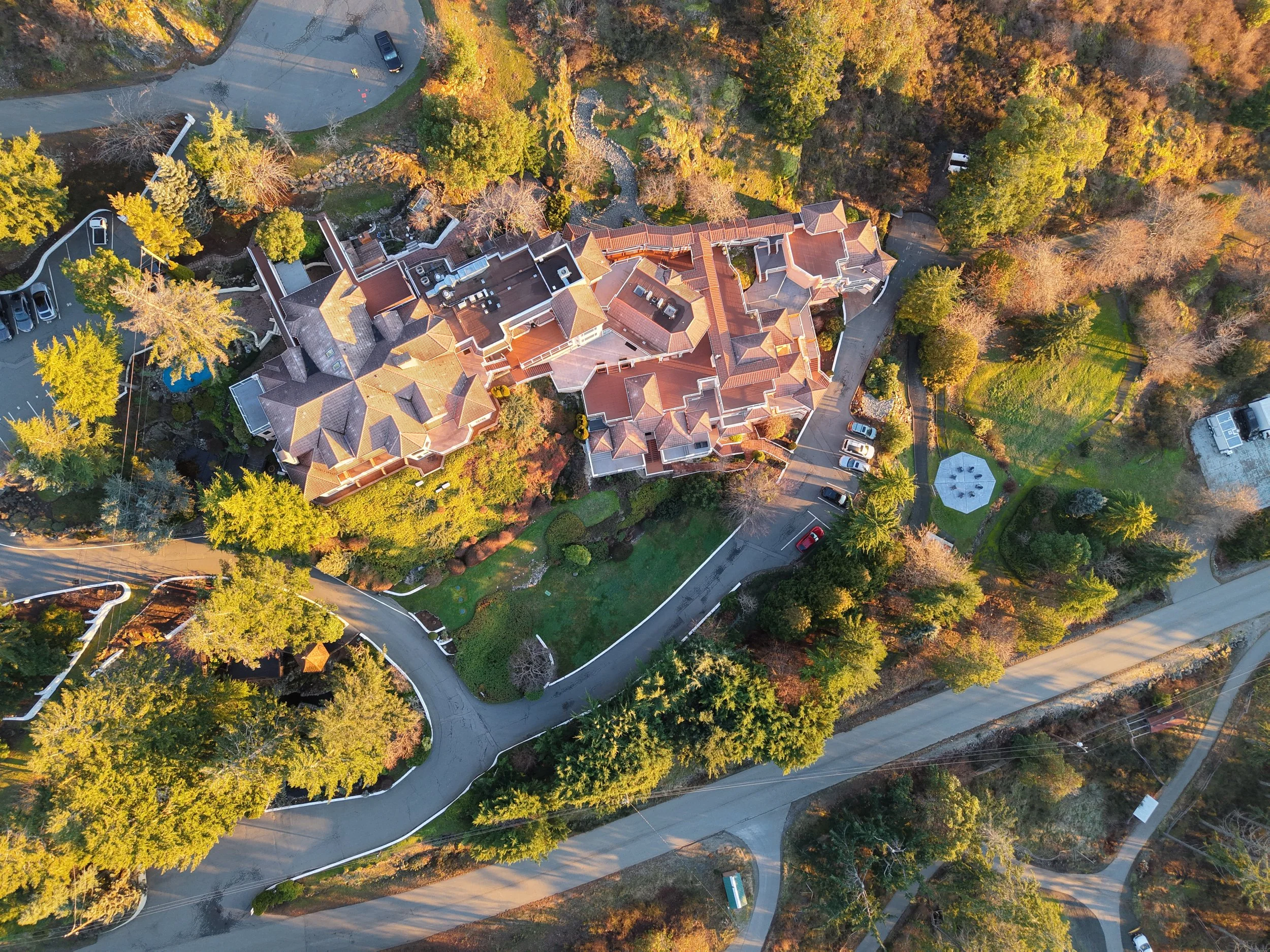
If you’re looking for drone photography in Victoria, you’re probably trying to figure out what it costs and what you’re actually getting.
So here’s the straight version.
Most straightforward local drone photo and video jobs are around $200–$300.
The exact price depends on the location, airspace, travel, and what you need delivered. Larger commercial, construction, repeat-visit, or more involved projects are quoted based on the actual scope.
That’s real pricing. Nothing inflated.
Before anything flies, I take a look at the site, check the airspace, and make sure it’s actually legal to be there. If it needs it, I’ll file it through NAV CANADA so everything’s handled properly ahead of time.
It’s not the glamorous part, but it’s the part that keeps things clean when the drone goes up.
After that, it’s straightforward.
Show up, fly, get what you need, send it over.
Where things can change a bit is on the back end.
Editing is usually the time suck.
If you just need clean photos or raw video, that’s quick. If you want things trimmed up, colour adjusted, or turned into something more polished, that’s where a bit more time and cost can come in depending on what you’re after.
Nothing crazy — just something to be aware of.
Where this actually makes sense is usually pretty obvious.
It’s just about getting a perspective you don’t already have.
If you’re a restaurant or business in a good location, you’ve already got photos of the inside and the food.
What you probably don’t have is a clean aerial shot that shows where you are — the coastline, the street, the setting. Something that makes people stop for a second.
Same thing with resorts or anything on the water. Being able to show the whole property from above just gives you something different to work with. We’ve done that kind of thing, and it tends to get used more than people expect.
Construction is a bit more specific.
If you’re bringing someone in for site work, you want it done properly.
That means a proper site survey, safe operation, and everything handled the way it should be. I’m Advanced-certified, insured, and used to planning flights so it’s not being figured out on the fly when I show up.
Nothing overcomplicated — just done right.
That’s really it.
Most of this isn’t complicated. It’s fast, it’s practical, and it gives you something you didn’t have before.
If you’ve got something in mind, send it over.
I’ll tell you straight up if it makes sense and what it’ll cost.
Related Reads
Hiring a Drone Pilot in Victoria, BC — What It Costs and What You Get
Straightforward pricing, what’s included, and what the process looks like if you need aerial photos, video, inspections, or a better look at something from above.
Teaching Kids to Fly a Drone (What Actually Works)
The basics that matter — where to start, what to avoid, and how to keep it fun without doing anything stupid, especially here in Canada.
DJI Neo 2 After 3 Months — Still Worth It?
What happens after the novelty wears off. Real use, real bumps, and why this thing still comes everywhere with us without even thinking about it.
DJI Addiction Anonymous #1 — Hi, My Name Is Ryan

DJI Addiction Anonymous — meetings at sunrise. Batteries charged.
Hi, my name is Ryan… and I have a DJI addiction.
It’s been about five months since my last relapse.
I’ve been staying strong. Going to the meetings. Taking it one sunrise at a time. Haven’t bought any DJI lately… unless you count the “DJI Neo 2 for my son” at Christmas, which obviously doesn’t count because that was for him.
Completely different.
This all started innocent enough.
My first beer was a DJI Mini 3.
Light. Easy. Fun. No consequences. Just a harmless little drone you take out once in a while, get some nice footage, and go about your life like a normal person.
That lasted about five minutes.
Because once you get a taste of it, you start thinking about it. Then you start looking at upgrades. Then you start justifying upgrades. Then suddenly you’re on DJI’s website at 11:30 at night like, “I mean… it’s basically an investment.”
Next thing you know, you’ve got a DJI Mic Mini, an DJI Osmo Nano, an DJI Air 3S, an DJI Osmo Mobile 6… and you’re pretty sure you’re forgetting something but at this point you don’t even want to know.
It’s not a hobby anymore.
It’s a situation.
And just when you think you’ve got it under control…
DJI drops something new.
Enter the Lito lineup.
Now, logically speaking, I don’t need another drone.
Not even close.
I’ve got everything I need. More than I need. I could probably go the rest of the year without buying a single thing and be perfectly fine.
So obviously the internal conversation goes like this:
“I don’t need it.”
“I don’t want it.”
“…do I want it?”
“No.”
“…maybe.”
“Yeah, okay, I want it.”
This is how it works.
You don’t go out looking for a new drone.
The drone finds you.
The worst part is how good they’ve gotten.
Back in the day, you could at least tell yourself you were upgrading because you needed something. Better camera, better features, whatever.
Now? Something like the Lito 1 shows up and it already has half the stuff that used to force you to upgrade in the first place.
So now you’re not upgrading out of necessity.
You’re upgrading because… well, because.
Because it’s better. Because it’s new. Because DJI knows exactly what they’re doing.
And that’s where the meetings come in.
You tell yourself you’re done. You say you’re going to sit this one out. You’ve got enough gear, you’re happy with what you’ve got, you’re not falling for it this time.
Then you see a review. Then another one. Then a comparison.
Then you’re on the product page again.
Look, I don’t have a problem.
You have a problem.
I’m fine.
I’m in control.
I can stop anytime I want.
…just not right now.
DJI Addiction Anonymous
Meetings are at sunrise.
Bring charged batteries.
Related Reads
Hiring a Drone Pilot in Victoria, BC — What It Costs and What You Get
Straightforward pricing, what’s included, and what the process looks like if you need aerial photos, video, inspections, or a better look at something from above.
DJI Lito X1 vs Mini 4 Pro: This Changes What Drone I Recommend in Canada
A closer look at how the Lito X1 stacks up against the Mini 4 Pro—and why it might be the better buy for most people right now.
DJI Neo 2 After 3 Months — Still Worth It?
What happens after the novelty wears off. Real use, real bumps, and why this thing still comes everywhere with us without even thinking about it.
DJI Lito 1 vs Lito X1: Which One Actually Makes Sense?
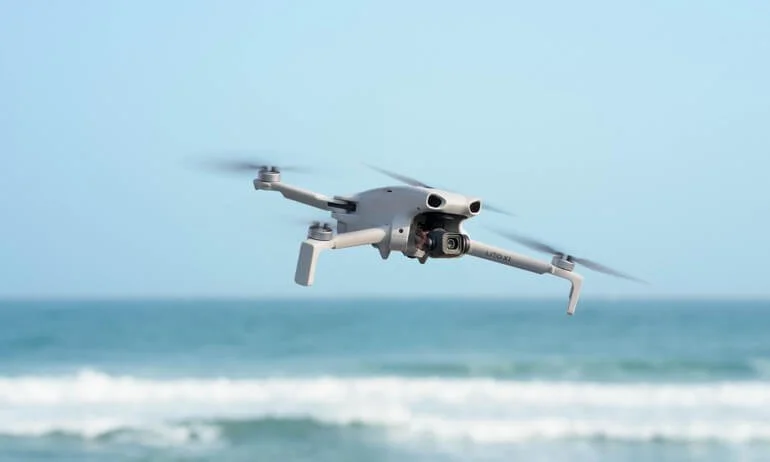
DJI Lito X1
My first drone was a DJI Mini 3, and I thought it was the greatest thing I’d ever bought.
Like your first beer.
Tastes a little sweet, feels harmless, and you’re sitting there thinking, “Yeah, this is nice. I don’t see what the big deal is.”
Fast-forward a bit and now you’re hungover, making questionable decisions and somehow convincing yourself you need another one.
That’s drones.
That’s exactly how this starts.
At the time, the Mini 3 was perfect. I wasn’t crashing it much, the footage looked great to me, and I had absolutely no reason to upgrade.
Until I did.
Because once you get a taste of this stuff, you start noticing things. Not huge things. Just enough little things to become irritating.
You wish it tracked subjects. You wish it had obstacle avoidance so you weren’t flying like a nervous squirrel. You see footage online that looks slightly cleaner and sharper, and suddenly you’re wondering what the hell you’re missing.
That’s how DJI gets you.
You don’t wake up one morning and decide to spend thousands of dollars on drones.
You slowly get addicted to that good, good DJI.
So naturally, I did the responsible thing and went from the Mini 3 straight to an Air 3S.
Totally reasonable.
Very measured decision-making.
In my head, I had it all figured out. I was getting my Advanced certificate. I wanted to do construction work. I needed something more professional.
The Mini 3 was a great drone, but it started feeling like a toy once I began telling myself I was doing real work.
The Air 3S felt like stepping into the big leagues.
Prosumer.
Legitimate.
Justifiable.
That’s the story I told myself, anyway.
Then DJI Released the Lito 1
Now DJI has the Lito 1, and this is where things get dangerous.
Because you look at it and think:
Hold on.
This thing already has many of the features that made me upgrade from my Mini 3.
You get ActiveTrack, omnidirectional obstacle sensing, automated camera moves and a proper folding camera drone that weighs approximately 249 grams.
This isn’t a sad little starter drone with a potato attached to the front.
The Lito 1 is already enough drone for plenty of people.
It gives new pilots a traditional controller-based flying experience. You can learn how to frame shots, control your movements, plan a flight and create something intentionally instead of simply launching a tiny follow-me drone and letting DJI’s wizardry handle everything.
For somebody who wants a capable first camera drone at the lowest reasonable price, the Lito 1 makes a pile of sense.
So naturally, the question becomes:
What the hell is the point of the Lito X1?
The X1 Is Better
Here’s the honest answer.
The X1 is better.
Not because the Lito 1 is bad. It isn’t.
The problem is that the X1 improves several of the exact things you may start caring about once the first-drone excitement wears off.
The Lito X1 has the larger 1/1.3-inch camera sensor, compared with the 1/2-inch sensor in the Lito 1. It adds more capable video options, forward-facing LiDAR and 42GB of internal storage.
Both drones offer ActiveTrack and omnidirectional obstacle sensing, so the Lito 1 isn’t flying around completely unaware of the trees waiting to ruin its afternoon.
But the X1 gives you a stronger overall camera and sensing package with fewer obvious reasons to start shopping again six months later.
And that matters more than it sounds.
No, This Isn’t a Hands-On Comparison
Before the internet police arrive, I haven’t flown these two drones side by side.
This isn’t a laboratory comparison, and I’m not going to pretend I personally tested the camera difference in seventeen lighting conditions while wearing a white coat.
I’ve handled the X1, followed both models closely and spent plenty of time flying DJI drones, including the Air 3S I use for paid work.
This is a buying recommendation based on the equipment, pricing and the features I know people eventually start wanting.
And right now, my recommendation is pretty simple:
If your budget allows it, buy the X1.
The Camera Is Where Upgrade Regret Begins
When I bought my Mini 3, I didn’t think I cared that much about camera quality.
The footage looked great.
Then I bought the Air 3S and discovered that I did, in fact, care about camera quality.
That’s the problem with seeing better.
The Lito 1’s camera should be perfectly useful for travel, family outings, social media, YouTube and anybody learning to shoot aerial footage.
But the X1’s larger sensor gives it more image quality and flexibility before you start looking toward the Mini Pro or Air series.
Will everyone notice the difference immediately?
Probably not.
Will you eventually start wondering about it after watching enough comparison videos at midnight?
Almost certainly.
That is how we got here in the first place.
The Internal Storage Will Save Your Ass
I’ll tell you which difference will matter one day, even if it doesn’t sound exciting while you’re shopping.
The internal storage.
The Lito X1 has 42GB built in.
Sooner or later, you’re going to wake up early, grab a coffee, drive somewhere beautiful and unfold your drone while feeling like you finally have your life together.
Then you’ll realize the SD card is sitting at home in a card reader beside your computer.
Now what?
Now you’re standing there with an expensive flying camera that can do everything except record the reason you brought it.
It’s like dropping a deuce and realizing there’s no toilet paper.
You’re already committed. There’s no graceful way out. You’ve only got yourself to blame, and you’re immediately questioning every decision that brought you here.
That’s when 42GB of internal storage stops sounding like a boring specification and becomes the greatest invention in human history.
Not sexy.
Not exciting.
Extremely useful.
Every drone should have enough onboard storage to save you from your own occasional incompetence.
Somehow, they still don’t.
Forward-Facing LiDAR Is Also Nice to Have
Both drones have omnidirectional obstacle sensing, but the X1 adds forward-facing LiDAR.
That doesn’t make it indestructible.
Tiny branches, wires and poor lighting can still ruin your day. Collision avoidance should always be treated as backup rather than permission to fly like an idiot.
But if I’m choosing a drone that I intend to keep for several years, I would rather have the stronger sensing package.
It’s another feature you may not fully appreciate while standing at the checkout.
You’ll appreciate it considerably more when a tree enters the conversation.
Buy the Good Controller and Extra Batteries
This is the part where I stop pretending the decision is complicated.
If you’re buying the X1, get the Fly More Combo with the DJI RC 2 controller.
Buy the extra batteries.
Buy the controller with the built-in screen.
Then stop shopping and go fly the damn thing.
The phone-based controller works, but it also means mounting your phone, connecting a cable and handing your phone over to the drone every time you want to use it.
The RC 2 feels like a proper piece of equipment. Turn on the controller, turn on the aircraft and fly.
No cable.
No clamping your phone into anything.
No notification from work appearing while you’re trying to frame a beautiful sunset.
Extra batteries are just as important.
One battery is enough to launch, find the shot and receive a low-battery warning just as things become interesting.
Three batteries give you enough time to get the safe footage, try something different and make at least one questionable creative decision before packing everything away.
At the time of writing, the DJI Lito X1 Fly More Combo with the RC 2 is about $879 CAD before tax on Amazon Canada.
That isn’t cheap.
But it buys a complete setup instead of the beginning of an upgrade plan.
So Who Should Buy the Lito 1?
Buy the Lito 1 if keeping the initial price down is the main priority.
It is still an impressively capable first camera drone. You get tracking, obstacle sensing, automated shooting modes and a proper controller-based flying experience without immediately wandering into four-figure territory.
For somebody who wants to learn, fly occasionally and create good-looking footage without turning this into another financial addiction, the Lito 1 may be all the drone they need.
There is absolutely nothing wrong with buying enough.
I just know how this tends to go.
Who Should Buy the Lito X1?
Buy the X1 if you already suspect “enough” is a lie you tell yourself before buying another drone six months later.
The better camera matters.
The forward-facing LiDAR matters.
The internal storage will absolutely matter the morning you forget your SD card.
Most importantly, the X1 gives you fewer reasons to start staring at the next model up.
You aren’t going to buy it and immediately wish you had chosen the better Lito.
You already did.
And with the RC 2 and extra batteries, you aren’t going to spend the next year slowly rebuilding the package you should have bought in the first place.
What About the Air 3S?
If you’re already telling yourself that you might eventually do professional work, want a more substantial aircraft or need better cameras, then yes, you may start looking at something like the DJI Air 3S.
That’s exactly what happened to me.
But moving into the Air series also means leaving the microdrone category in Canada. The aircraft is larger, more expensive and carries considerably more regulatory baggage.
The Air 3S is the better professional tool.
The Lito X1 is the drone I would recommend to most people who specifically want to remain under 249 grams.
Those are different jobs.
The Answer Has Become Pretty Simple
The Lito 1 is good.
The Lito X1 is the one I’d buy.
That’s a firmer position than I had when these drones first appeared, but the longer I’ve looked at the lineup and current Canadian pricing, the clearer it has become.
If you only want the cheapest sensible entry into a proper DJI camera drone, get the Lito 1.
If you can stretch to the X1 Fly More Combo with the RC 2, do it.
You’ll get the better camera, stronger sensing package, useful onboard storage, extra batteries and the controller you won’t immediately want to replace.
Then you can enjoy flying without spending every evening researching the drone you should have bought.
At least for a while.
This is still DJI we’re talking about.
They’ll find another way to get you.
Check the latest DJI Lito 1 pricing on Amazon Canada.
Check the latest DJI Lito X1 pricing on Amazon Canada.
Check the latest DJI Air 3S pricing on Amazon Canada.
Because that’s how DJI addiction works.
First it’s the cute little one.
Then it’s the better one.
Then suddenly you’re comparing camera sensors, controller bundles, wind resistance and log profiles while calling the entire thing “research.”
Welcome to DJI Addiction Anonymous.
Meetings are at sunrise.
Bring charged batteries.
As an Amazon Associate, Vancouver Island Drones may earn a commission from qualifying purchases made through links on this page. It doesn’t change what you pay, but it may help offset our ongoing DJI addiction.
Related Reads
The DJI Lito X1 Is the Drone I’d Recommend Right Now
Done comparing and just want the answer? Here’s why I’d buy the Lito X1 Fly More Combo with the RC 2—and avoid immediately wishing I’d bought the better one.
Which DJI Drone Should You Buy First: Neo 2, Lito 1, or Lito X1?
A practical, slightly biased look at the Neo 2, Lito 1 and Lito X1—from the flying yellow Labrador to the first proper camera drone and the one you’re least likely to outgrow.
DJI Air 3S After a Year — The Drone I’d Buy Again
More than a year of sunrise flights, tracking tests and paid commercial work—and why the Air 3S is still the drone I reach for when the result really matters.
DJI Lito X1 vs Mini 5 Pro — Are You Paying Double for Stuff You’ll Actually Notice?
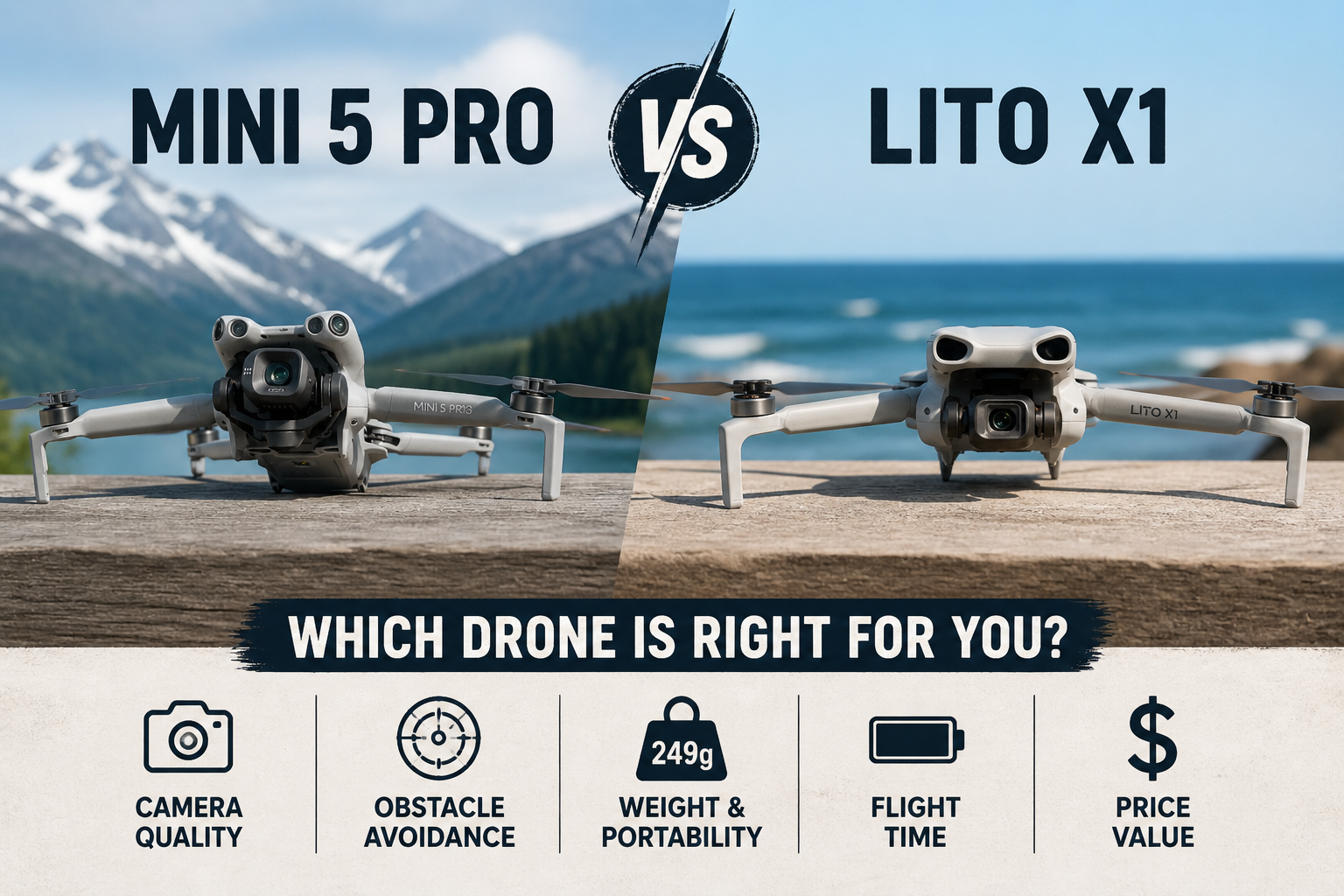
On paper, the DJI Mini 5 Pro is the better drone.
It has the bigger camera sensor, more polished “Pro” features and enough impressive numbers to keep spec-sheet enthusiasts occupied through an entire rainy Vancouver Island weekend.
That part isn’t really up for debate.
But it also isn’t the question most people should be asking.
The real question is whether those improvements will matter enough in normal use to justify spending considerably more—especially in Canada, where staying below 250 grams can dramatically simplify where and how often you fly.
That’s where the DJI Lito X1 becomes very difficult to ignore.
First, This Isn’t a Hands-On Comparison
I haven’t flown the Lito X1 or Mini 5 Pro side by side, so I’m not going to pretend this is some elaborate flight test.
It isn’t.
I’ve handled the X1, followed both drones closely and spent plenty of time flying DJI equipment, including the Air 3S I use for commercial work. I have a fairly good idea which features people genuinely use and which ones mostly help justify another increasingly irresponsible DJI purchase.
This is a buying comparison.
And if somebody asked me which of these two drones they should buy with their own money, I’d point most people toward the Lito X1.
The Mini 5 Pro Has the Better Camera
The Mini 5 Pro uses a 1-inch sensor. The Lito X1 uses a 1/1.3-inch sensor.
The Mini wins.
If you’re chasing the best possible image quality from a small drone, shooting in difficult light, grading footage heavily or trying to squeeze every last bit of detail from the camera, the Mini 5 Pro gives you more to work with.
That larger sensor is a real advantage. I’m not going to wave my hands around and pretend most people’s phones have made sensor size irrelevant.
Physics remains annoyingly undefeated.
But the Lito X1 still gives you a very capable 1/1.3-inch camera with 48-megapixel photos, 4K/60fps HDR video, 4K/100fps slow motion and 10-bit D-Log M.
That is not a sad little beginner camera.
For travel, camping, family trips, social media, YouTube and generally making your friends jealous of where you live, the X1’s camera is likely more than enough.
The Mini 5 Pro produces better footage.
The question is whether most people will see enough difference after that footage has been compressed, uploaded and watched on a phone to feel good about the extra money.
Some will.
A lot probably won’t.
The X1 Already Has the Fancy Stuff
The Lito X1 doesn’t beat the Mini 5 Pro by stripping everything useful away and winning on price.
That’s what makes it interesting.
You still get ActiveTrack, QuickShots, MasterShots, Hyperlapse, omnidirectional obstacle sensing and forward-facing LiDAR. You also get 42GB of internal storage.
In normal-person language, it can follow subjects, perform automated camera moves, help avoid obstacles and continue recording when you inevitably discover that your SD card is sitting at home in the card reader.
That last feature deserves more attention than it gets.
Sooner or later, you will wake up early, grab a coffee, drive somewhere beautiful and unfold your expensive flying camera while feeling unusually competent.
Then you’ll realize you forgot the damn SD card.
Forty-two gigabytes of internal storage turns that from a completely wasted morning into a mildly embarrassing inconvenience.
Every drone should have useful onboard storage.
Somehow, they still don’t.
The Mini 5 Pro also has 42GB of internal storage and a more advanced overall camera system. But the important point is that the X1 doesn’t leave you staring upward at the Mini because you’re missing all the fun features.
Most of the good stuff is already there.
Then There’s the Weight Problem
This is where the Canadian side of the comparison becomes awkward.
DJI lists the Mini 5 Pro at approximately 249.9 grams, with actual weight potentially varying by four grams in either direction because of materials and manufacturing differences.
That is uncomfortably close to one of the most important dividing lines in Canadian drone regulations.
Under 250 grams, you’re operating a microdrone. At 250 grams or above, the regulatory requirements change considerably.
The number that matters is the aircraft’s actual takeoff weight, not the optimism printed on the box.
The Lito X1 is listed at approximately 249 grams with its standard battery. That still means owners should understand their exact setup, especially before adding accessories, but its entire reason for existing fits much more cleanly into the lightweight-drone category.
That matters.
A drone that’s easier to bring and easier to fly legally is a drone you’re more likely to use.
The best camera in the world isn’t particularly useful when the aircraft stays home because flying it feels like paperwork.
The Lito X1 Is the Better Decision for Most People
The Mini 5 Pro is the better drone.
The Lito X1 is probably the better decision.
That isn’t because the X1 secretly beats the Mini at everything. It doesn’t.
It’s because the X1 reaches the point where most recreational pilots may stop caring that something better exists.
You already have:
A genuinely capable camera
ActiveTrack
Automated shooting modes
Omnidirectional obstacle sensing
Forward-facing LiDAR
42GB of onboard storage
Proper battery life
A sub-249g aircraft
The option of DJI’s excellent RC 2 screen controller
What exactly are you going to upgrade for?
Better low-light footage? More dynamic range? A larger sensor? Those are legitimate reasons if you’re serious about photography or video.
But if you’re filming camping trips, coastlines, family adventures, hikes, road trips and the occasional cinematic pass over your truck, the X1 already does nearly everything you bought a drone to do.
Buy the Proper Package
At the time of writing, the DJI Lito X1 Fly More Combo with the RC 2 controller is about $879 CAD before tax on Amazon Canada.
That’s the package I would buy.
Get the extra batteries.
Get the controller with the built-in screen.
Don’t save a little money and spend the next year wishing you had bought the better controller or the better drone.
A phone-based controller works. It also means mounting your phone, connecting a cable and surrendering your phone every time you fly.
The RC 2 makes the drone feel like a complete piece of equipment. Turn on the controller, turn on the aircraft and go fly.
The extra batteries matter for equally obvious reasons.
One battery is enough to launch, find your shot and receive a low-battery warning just as things become interesting. Three batteries let you settle down, get the safe footage and then try something creative without immediately calculating whether the drone can still make it home.
Buy once. Cry once. Fly three times.
Who Should Still Buy the Mini 5 Pro?
If image quality is the priority and you specifically want the strongest camera DJI can fit into this class, buy the Mini 5 Pro.
If you shoot frequently in low light, care about the larger sensor or expect to push the footage harder during editing, the Mini makes sense.
It’s also the drone for somebody who simply wants the more advanced option and doesn’t mind paying for it.
There’s nothing wrong with that.
I own an Air 3S partly because I knew I would keep looking upward if I bought something less capable. Sometimes buying the better tool is the smarter financial decision because it stops you from buying twice.
But I don’t think that argument automatically leads from the X1 to the Mini 5 Pro.
The X1 already includes enough camera performance, sensing, tracking, storage and general DJI wizardry that most owners aren’t going to feel deprived.
They’re just going to own a very good drone and have several hundred dollars left for camping, fuel or the next questionable hobby.
The Bottom Line
The Mini 5 Pro is the better drone.
It has the better camera and more high-end capability.
But for most people looking for a capable sub-249g drone in Canada, I’d buy the Lito X1 Fly More Combo with the RC 2.
It gives you the features people actually want, a camera that should be more than good enough for most uses, useful internal storage, obstacle sensing, intelligent tracking, extra batteries and the controller you won’t immediately want to replace.
You can spend more.
You will always be able to spend more.
DJI has built a remarkably successful business around making sure we’re all aware of that.
But the Lito X1 feels like the point where spending more stops being necessary and starts becoming a personal problem.
Check the current DJI Lito X1 Fly More Combo price on Amazon Canada.
Check the current DJI Mini 5 Pro price on Amazon Canada.
As an Amazon Associate, Vancouver Island Drones may earn a commission from qualifying purchases made through links on this page. It doesn’t change what you pay, but it may help offset our ongoing DJI addiction.
Related Reads
The DJI Lito X1 Is the Drone I’d Recommend Right Now
Done comparing and just want the answer? Here’s why I’d buy the Lito X1 Fly More Combo with the RC 2—and avoid immediately wishing I’d bought the better one.
Which DJI Drone Should You Buy First: Neo 2, Lito 1, or Lito X1?
A practical, slightly biased look at the Neo 2, Lito 1 and Lito X1—from the flying yellow Labrador to the first proper camera drone and the one you’re least likely to outgrow.
Drone Accessories I Actually Recommend in Canada
You do not need 47 drone accessories. Just the practical stuff that keeps you flying longer, protects your gear and saves you from ruining a flight before it even starts.
Canada’s Drone Rules Got More Complicated (Again) — Here’s What Actually Matters
If you’ve tried to look up drone rules in Canada lately, you’ve probably ended up ten tabs deep on the Transport Canada site wondering if you need a law degree just to take a photo of a beach. It’s not just you. The rules have always been a bit layered, but now with this newer “Level 1 Complex” stuff getting talked about, it’s starting to feel like there’s some secret next level you’re supposed to unlock.
So let’s just cut through it.
There are really three lanes now, whether Transport Canada wants to explain it that way or not. Basic, Advanced, and then this newer Level 1 Complex path that starts nudging into beyond visual line of sight territory. Sounds fancy. Sounds like the next logical step. It’s not that simple.
Basic is what most people start with, and honestly, for a lot of Canada it’s fine. You pass a cheap online test, register your drone, and you’re good to go in uncontrolled airspace as long as you’re not being an idiot. The problem is, if you live anywhere like Victoria, Basic is basically useless the second you look at a map. Controlled airspace everywhere, floatplanes doing their thing, people everywhere, and suddenly you’re boxed in before you even take off.
That’s where Advanced comes in, and this is the level that actually matters in the real world. You write the Advanced exam, you do a flight review with someone who knows what they’re doing, and now you can operate in controlled airspace with authorization, work closer to people with the right drone, and actually get things done. This is where you go from “guy with a drone” to “someone who can legally and reliably do work.” Most paid jobs live here. Construction, inspections, business stuff, real estate, all of it. This is the level that makes sense for 95 percent of people who want to do anything beyond messing around.
Now this is where things get interesting, because people start hearing about Level 1 Complex and think, “okay, that must be the next step.” It kind of is, but not in the way people think. This isn’t just another test you write on a Sunday afternoon so you can suddenly fly your drone kilometers away like you’re running some kind of mini air force. It’s a different category of operation entirely.
Level 1 Complex is tied into what Transport Canada calls lower-risk BVLOS, which is beyond visual line of sight. Sounds cool, and it is, but it comes with strings attached. You’re not just upgrading your license, you’re stepping into a more structured environment. You still need your Advanced knowledge, then you’re adding more training, more ground school, another exam, another flight review, and on top of that you’re not operating as just a guy anymore. You’re tied into an operation that has an RPAS Operator Certificate, proper procedures, and a drone that’s actually approved for that kind of work.
In other words, you’re not just flying further. You’re operating as part of a system.
And this is usually the point where some people realize they don’t actually want to deal with any of this. If you just need photos, video, or a look at something from the air, going down the licensing rabbit hole, figuring out airspace, and doing it properly can be more effort than it’s worth. That’s literally the kind of work I do locally. I handle the planning, airspace, and flying so you don’t have to think about it.
And that’s the part that gets missed.
So is it worth it?
For most people, no. Not right now.
And this is usually the point where some people realize they don’t actually want to deal with any of this. If you just need photos, video, or a look at something from the air, going down the licensing rabbit hole, figuring out airspace, and doing it properly can be more effort than it’s worth. That’s literally the kind of work I do locally. I handle the planning, airspace, and flying so you don’t have to think about it.
If you’re doing local jobs, taking photos, doing inspections, working with businesses, the jump from Advanced to Level 1 Complex doesn’t suddenly unlock a bunch of new opportunities. It adds complexity, cost, and requirements that don’t line up with the kind of work most small operators are actually doing. You’re not suddenly getting calls saying, “hey, can you fly five kilometers down a pipeline for me?” That’s a different market.
Where it does make sense is if you’re planning to step into that world. Infrastructure, large-scale mapping, working with companies that already understand and need BVLOS capability. Then yeah, it starts to make sense to look at it seriously. But that’s a decision to change the type of work you’re doing, not just level up your license.
And this is kind of the bigger takeaway with Canadian drone rules in general. They’re not trying to make your life easier. They’re trying to separate casual flying, professional local work, and higher-risk operations into different buckets. Once you see it that way, it actually makes more sense, even if it’s still a bit of a pain to navigate.
So if you’re sitting there wondering what you should do, it’s pretty simple. If you’re just flying for fun in open areas, Basic is fine. If you want to actually do work and not constantly run into walls, Advanced is where you need to be. And if you’re looking at Level 1 Complex, you should be asking yourself not “is this the next step,” but “am I actually trying to get into that level of operation?”
Because if you’re not, you’re probably just adding headaches for no real gain.
Canada didn’t create a new level for hobbyists to chase. They created a pathway for more complex operations to exist without everything going through special flight certificates. That’s a good thing overall, but it doesn’t mean everyone needs to jump on it.
Most of the time, the smartest move is still the same as it’s been for a while now. Get Advanced, learn how to operate properly, understand your airspace, and actually get good at flying. That’ll take you a lot further than chasing the next acronym.
And if you’re in a place like Victoria, where the airspace alone can make your head spin, you’ll figure out pretty quickly that knowing what you’re doing matters a lot more than what certificate you’ve got framed on the wall.
Related Reads
Hiring a Drone Pilot in Victoria, BC — What It Costs and What You Get
Straightforward pricing, what’s included, and what the process looks like if you need aerial photos, video, inspections, or a better look at something from above.
DJI Neo 2 After 3 Months — Still Worth It?
What happens after the novelty wears off. Real use, real bumps, and why this thing still comes everywhere with us without even thinking about it.
Teaching Kids to Fly a Drone (What Actually Works)
The basics that matter — where to start, what to avoid, and how to keep it fun without doing anything stupid, especially here in Canada.

Hiring a Drone Pilot in Victoria, BC — What It Costs and What You Get
Sunrise flight over Esquimalt Lagoon in Victoria, BC, heading out toward Fisgard Lighthouse.
If you’re looking to hire a drone pilot in Victoria, the first question is usually price. Most jobs are straightforward. A basic aerial photo session starts around $150. Photos and video together are usually in the $200-$300 range. Ongoing work or inspections tend to be about $150 an hour with a minimum callout. That’s real pricing, not guesswork.
What that looks like is simple. You send me what you need and where it is. I do a site survey, check the airspace, and make sure it’s actually flyable. If needed, I submit a flight plan through NAV CANADA so everything is handled properly before I show up.
Then it’s just a short visit. Get the shots, get what you need, and send it over. No dragging it out.
This makes the most sense for things like construction progress, roofing checks, inspections, or getting clean visuals of a business or property. A lot of the time it’s just a faster, safer way to see something without putting someone on a ladder or guessing from the ground.
Victoria isn’t wide open airspace. There are float planes, controlled zones, and areas where you can’t just throw a drone up. That’s why the planning matters. I’m Advanced-certified and insured, and every flight is done safely and legally.
If you’ve got something in mind, send me a quick email with what you need and where it is. I’ll tell you straight up if it makes sense and what it’ll cost. ryan@vancouverislanddrones.ca
Related Reads
DJI Lito X1 vs Mini 4 Pro: This Changes What Drone I Recommend in Canada
A closer look at how the Lito X1 stacks up against the Mini 4 Pro—and why it might be the better buy for most people right now.
DJI Neo 2 After 3 Months — Still Worth It?
What happens after the novelty wears off. Real use, real bumps, and why this thing still comes everywhere with us without even thinking about it.
Teaching Kids to Fly a Drone (What Actually Works)
The basics that matter — where to start, what to avoid, and how to keep it fun without doing anything stupid, especially here in Canada.

Is the DJI Lito X1 the Best Drone in Canada for 2026?
On paper, there are better drones.
Better cameras, more features, more “pro” everything. But in Canada, that’s not really what matters. The real question is what you’re actually going to use, and more importantly, what you’re actually going to bring with you.
That’s where something like the Lito X1 starts to make a lot of sense.
If you’re buying a drone here, you’re basically making one decision whether you realize it or not. Stay under 250 grams, or deal with everything that comes with going over it. Once you step out of that category, it’s licensing, more restrictions, more planning. For a lot of people, that’s the difference between using a drone all the time and barely using it at all.
The Lito X1 stays right where it needs to be. It’s light, it’s simple to live with, and it still does most of what people actually want. The camera is solid, tracking works properly, and the obstacle avoidance is good enough that you’re not constantly second guessing every move. It’s not trying to be a flagship, and that’s kind of the point.
The Mini 4 Pro is still a really good drone. If you already have one, there’s no reason to run out and replace it. It’s more polished, the camera is better, and it’s proven. But if you’re buying today, starting from scratch, the Lito X1 is easier to recommend. It’s cheaper, close enough in performance for most people, and it keeps the whole experience simple.
The Mini 5 Pro is where things get a bit weird. On paper it looks great, but if it’s not firmly staying in that true sub-250 category, it kind of loses the whole point of being a Mini in Canada. If you’re dealing with more rules anyway, you start asking why you wouldn’t just go to something like the Air 3S. It ends up in this middle ground where it’s a good drone, but not the obvious choice it should be.
The other one worth talking about is the Neo 2. Completely different kind of drone, but honestly one of the easiest recommendations right now. It’s quick to get in the air, tough, easy to use, and just fun. For travel, biking, kids, or just messing around, it’s hard to beat. It’s not replacing something like the Lito X1, but it’s filling a different role really well.
If you look at it simply, the Lito X1 is probably the best all-around micro drone you can buy right now, and the Neo 2 is the one you’ll end up using the most without even thinking about it.
So is the Lito X1 the best drone in Canada for 2026?
For most people, yeah, it probably is.
Not because it’s the most powerful, but because it hits the balance properly. It stays in the easiest category to fly, it does what most people actually need, and it’s priced in a way that makes sense. More importantly, it’s the kind of drone you’ll actually bring with you instead of leaving at home.
Check the DJI Lito X1 price on Amazon
And if you’re curious about the more “grab it and go” option, the Neo 2 is worth a look too:
Check the DJI Neo 2 price
Related Reads
DJI Lito Lineup vs Mini Series: The Minis Just Got Hard to Recommend
The Lito 1 and Lito X1 bring sub-249g weight, modern obstacle sensing, and strong features at prices that make the old Mini lineup a lot harder to recommend.
DJI Neo 2 After 3 Months — Still Worth It?
What happens after the novelty wears off. Real use, real bumps, and why this thing still comes everywhere with us without even thinking about it.
DJI Lito X1 vs Mini 5 Pro — Are You Paying Double for Stuff You’ll Actually Notice?
A real-world look at the price gap, the new collision avoidance approach, and whether the Mini 5 Pro is actually worth it for most people.
DJI Neo 2 After 3 Months — Still Worth It?
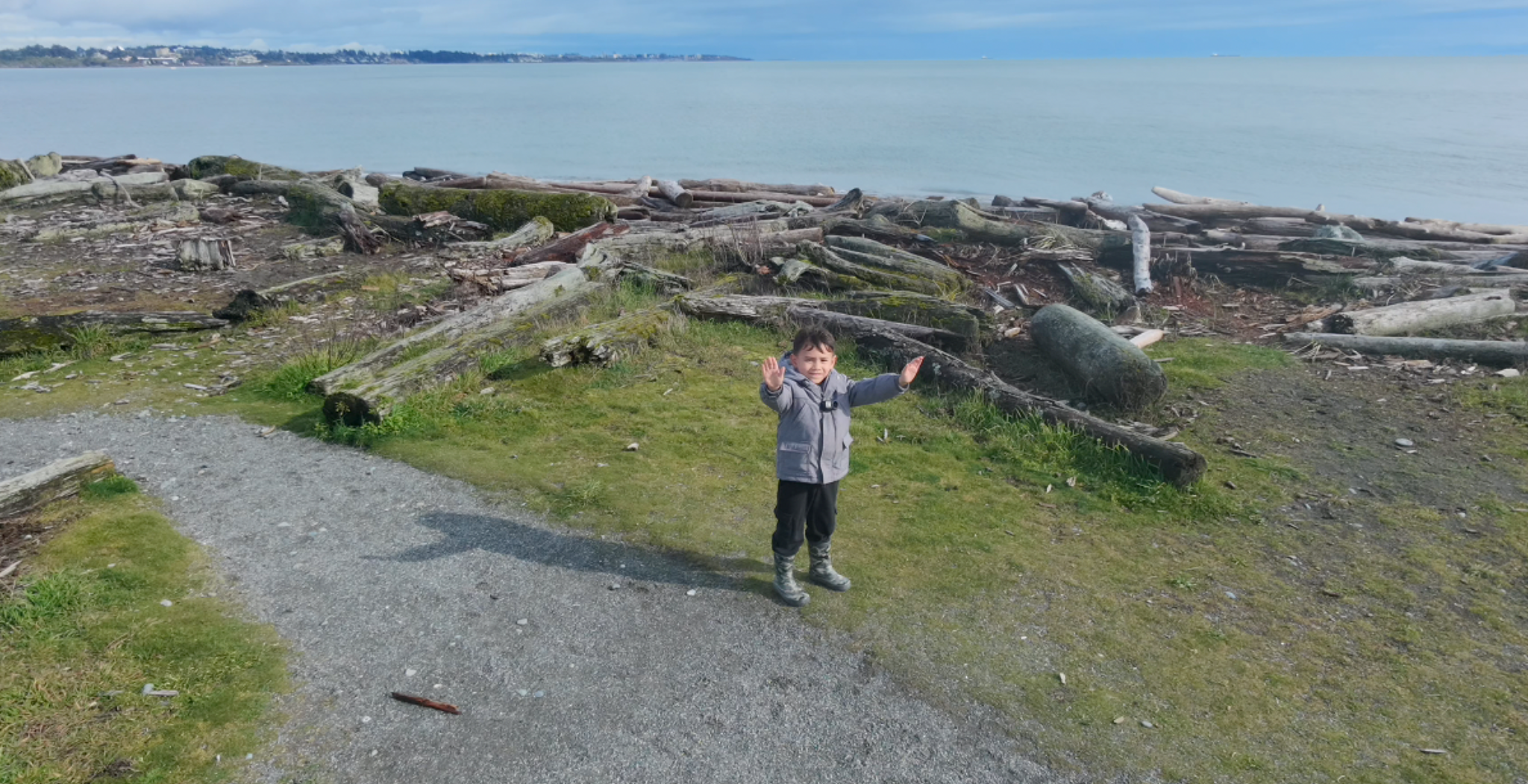
It’s still insanely easy to use… gesture controls work…
Short answer? Yeah. It’s still worth it. Easily.
Three months in, this thing hasn’t worn off at all. Blake still loves it, his friends love it, and it’s basically expected that it shows up now. Every time someone sees it for the first time, it’s the same reaction — what is that, how much is it, and then they’re blown away when you tell them.
If you’re already thinking about buying one, I’d personally skip the absolute base package and get the kit with the extra batteries and charging hub. This is exactly the kind of drone you end up using repeatedly throughout the day, and having fresh batteries ready makes a big difference.
→ Check current DJI Neo 2 bundle pricing on Amazon
The biggest thing is that it actually gets used. A lot of gear sounds cool and then sits at home because it’s a hassle. This isn’t that. You pull it out of your pocket or your bag, press a couple of buttons, and it’s in the air. No controller, no waiting around for satellites, no messing around. It just goes.
Because of that, it comes everywhere with us — rugby practice, the bike park, the beach, wherever we’re headed.
It’s still insanely easy to use. Gesture controls work, tracking works, voice controls work, and you can reposition it on the fly without turning it into a whole production.
If you want to get more serious, you can connect a controller. If FPV is your thing, it can do that too. Most of the time, you don’t need any of that, and that’s kind of the point.
Durability… I’m not going to call it indestructible, but I also haven’t found the limit yet.
It’s taken hits, been grabbed, chased, landed badly, and generally treated like a toy by a group of kids, and it just keeps going.
Pick it up, dust it off, send it back up.
It’s basically kid-proof, which still sounds ridiculous to say, but it’s true.
My five-year-old uses it constantly, his friends use it, they chase it, try to land it, mess around with it, and it holds up.
More importantly, it feels safe. It’s small, predictable, and not intimidating to people around it. Nobody’s nervous when it’s flying nearby — they’re curious.
The flexibility is underrated.
This thing can be a follow-me camera, a handheld launch drone, something you fly with a controller, or something you control with gestures.
Apparently you can connect a mic to it as well, which starts getting into portable videographer territory.
For something this small and this cheap, that’s pretty wild.
The only real downside I’ve noticed is wind.
You can see it working pretty hard even in a light breeze, and living on an island, that’s something you notice quickly.
If you’re trying to get smooth, cinematic footage in less-than-ideal conditions, it’s not the right tool for that.
But as a follow-me drone?
It’s unbelievable.
It’s also one of those things that gets people into drones.
Blake’s friends love it, and it’s sparked interest with pretty much everyone who’s been around it.
If you’ve ever thought about getting a drone for travel, outdoor stuff, or just capturing moments without overthinking it, this is a pretty fun way to do it.
And again, if I were buying one today, I’d get the version with the extra batteries and charging hub rather than the cheapest package. The whole appeal of the Neo 2 is how easy it is to grab and use, and extra batteries keep that going.
→ See DJI Neo 2 kits and bundle options on Amazon
Three months in, it still gets used, it’s still fun, and it’s still one of the easiest pieces of gear to grab without thinking about it.
For the price, it’s a no-brainer.
It’s not replacing a proper drone across the board.
It’s not supposed to.
But for a lot of real-world use — hikes, bike rides, travel, anything where you just want to document what you’re doing without messing around — there’s a strong argument that it replaces more than you’d expect.
If the alternative is bringing something like a Mini 4 Pro and dealing with the setup every time, this is just easier, and because of that, it actually gets used.
And that’s the whole point.
As an Amazon Associate, Vancouver Island Drones may earn from qualifying purchases made through links on this page.
Related Reads
DJI Neo 2 Review: The Best First Drone for Kids, Creators, and Wannabe Jedi
A tiny follow-me drone with palm launch, gesture control, prop guards, and just enough weird DJI wizardry to make you feel like you’re using the Force. Great for kids, creators, hikers, bikers, and anyone who wants a drone they’ll actually use.
DJI Lito 1 vs Neo 2: Two Completely Different Drones (So Which One Makes More Sense?)
A real-world comparison between two very different drones at a similar price point—and which one actually makes sense depending on how you plan to use it.
Hiring a Drone Pilot in Victoria, BC — What It Costs and What You Get
Straightforward pricing, what’s included, and what the process looks like if you need aerial photos, video, inspections, or a better look at something from above.
Teaching Kids to Fly a Drone for the First Time
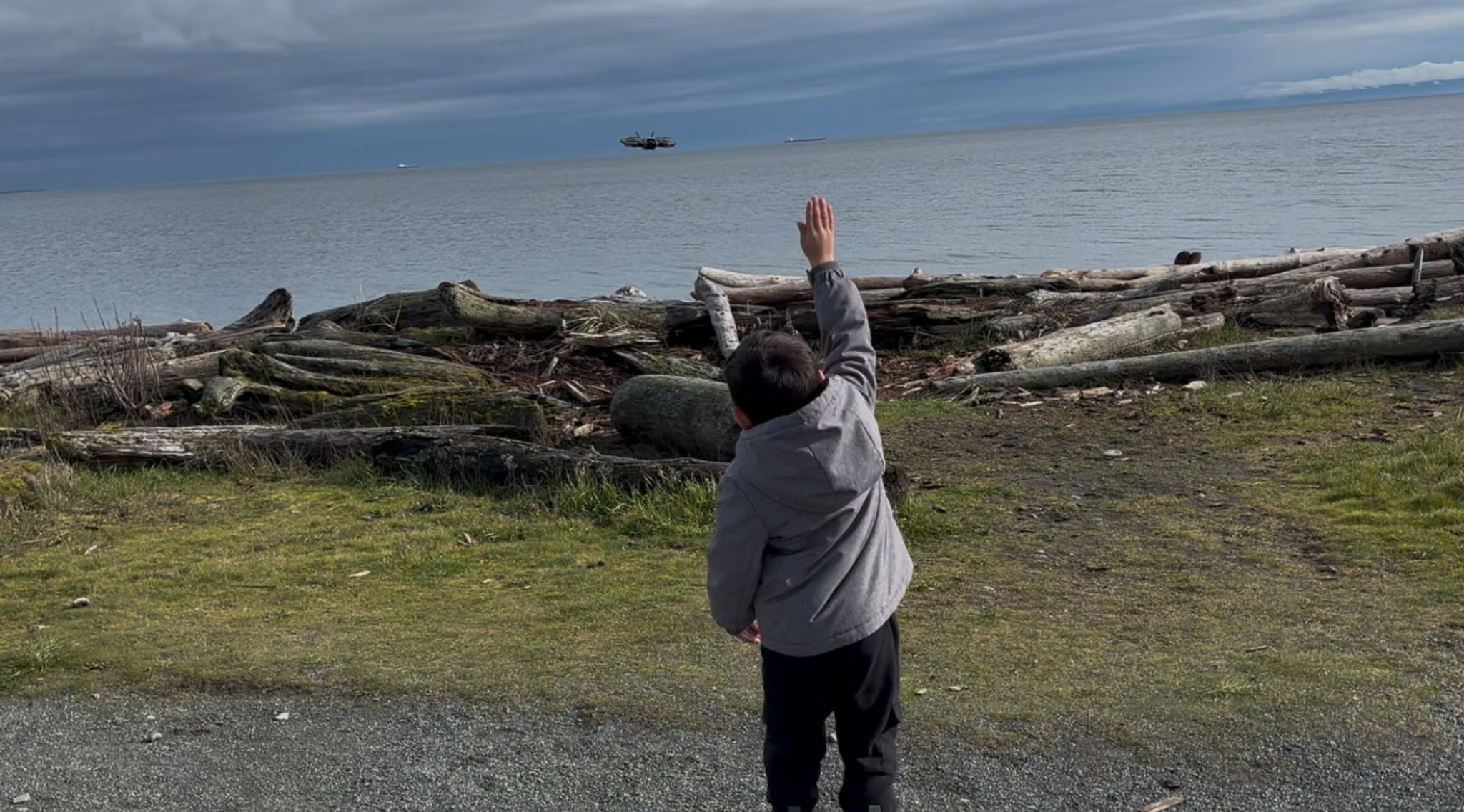
My son flying his DJI Neo 2
Everyone overthinks this.
If you’re teaching a kid to fly a drone, you don’t need a lesson plan—but you do need to know a few basics before you take off.
First—rules.
Even with a sub-250g drone like the Neo 2, you’re still responsible. Stay away from people. Stay away from crowds. Scheduled public events are a hard no—sports fields, festivals, anything like that.
Same goes for hospitals, accidents, forest fires, or anything with emergency services. If lights are flashing, don’t be flying there. Around here, add float planes and military areas to that list too.
You don’t need a license under 250 grams, but that doesn’t mean “do whatever you want.”
Alright—actual flying.
And this is where it splits a bit, depending on how you’re using the drone.
If you’re flying with a controller, keep it simple.
Take off. Hover. Get used to how it feels. Don’t go ripping around right away.
Once that feels steady, start moving it a bit. Small, controlled movements. Think simple shapes—boxes, circles—nothing aggressive. The goal here isn’t to be exciting, it’s to build control.
And the big one people don’t expect is perspective.
Flying with the camera facing away from you feels natural. Turn it around so it’s facing you, and suddenly everything feels backwards for a minute. That’s normal.
So practice both at the same time—simple movement, different orientations. That’s how you actually get comfortable.
If your kid plays video games, there’s a good chance they’ll pick this up faster than you think.
Keep it low. Keep it close. Land it, take off again, repeat it a few times. It’s not the most exciting part, but once it clicks, it clicks fast.
Now—if you’re using something like the Neo 2 as a follow-me drone, that’s a completely different experience.
You’re launching it out of your hand, hitting a mode, and it’s tracking you. At that point, honestly… just go.
They stay relatively close, they’re doing a lot of the work for you, and it’s a really fun way to get started without overthinking controls.
It’s not really “learning to fly” in the traditional sense—it’s more just using the drone and enjoying it.
Back to the basics—no matter how you’re flying, stay away from people. Not just because of the rules—it also annoys people, and you’ll have a better time if you’re not dealing with that.
As for the drone itself, this is exactly why I recommend something like the Neo 2.
The prop guards are huge when you’re learning. Otherwise, yeah—you’re replacing props at some point. It happens.
The Neo 2 can take a bit of a beating. You pick it up, dust it off, and keep going. That matters, especially with kids.
If you want to check current pricing or what comes with it, you can take a look here.
My five-year-old flew it right out of the box.
No drama. No crash course. Just up and flying.
And that’s really the whole point.
Now, if you’re looking at something a bit more “traditional,” DJI’s newer Lito lineup—like the Lito 1 or Lito X1—is also worth a look.
They’ve got more of the classic drone features—better camera, more stable flight—but the big one is collision avoidance.
And yeah… that matters.
My first drone didn’t have it.
I hit things.
Trees, mostly. Nothing catastrophic, but enough to learn the lesson the hard way.
Having sensors and some level of obstacle avoidance doesn’t make you a great pilot—but it does give you a bit of a safety net while you’re learning. Especially if it’s a kid on the sticks.
They’re a different experience, though. Less crash-and-go, more learn-it-properly. Not wrong—just depends what you want out of it.
Have fun with it—but be responsible.
The tech you’re getting now for the money is pretty wild. Between the Neo 2, the Lito 1 and X1, even the Minis, there’s not much you can’t do anymore without spending a fortune.
Just stay smart about where and how you fly, and you’ll be fine.
Related Reads
DJI Lito X1 vs Mini 4 Pro: This Changes What Drone I Recommend in Canada
A closer look at how the Lito X1 stacks up against the Mini 4 Pro—and why it might be the better buy for most people right now.
DJI Lito 1 vs Neo 2: Two Completely Different Drones (So Which One Makes More Sense?)
A real-world comparison between two very different drones at a similar price point—and which one actually makes sense depending on how you plan to use it.
Hiring a Drone Pilot in Victoria, BC — What It Costs and What You Get
Straightforward pricing, what’s included, and what the process looks like if you need aerial photos, video, inspections, or a better look at something from above.
Best Drone for Kids (2026): What I’d Actually Buy (and Why)
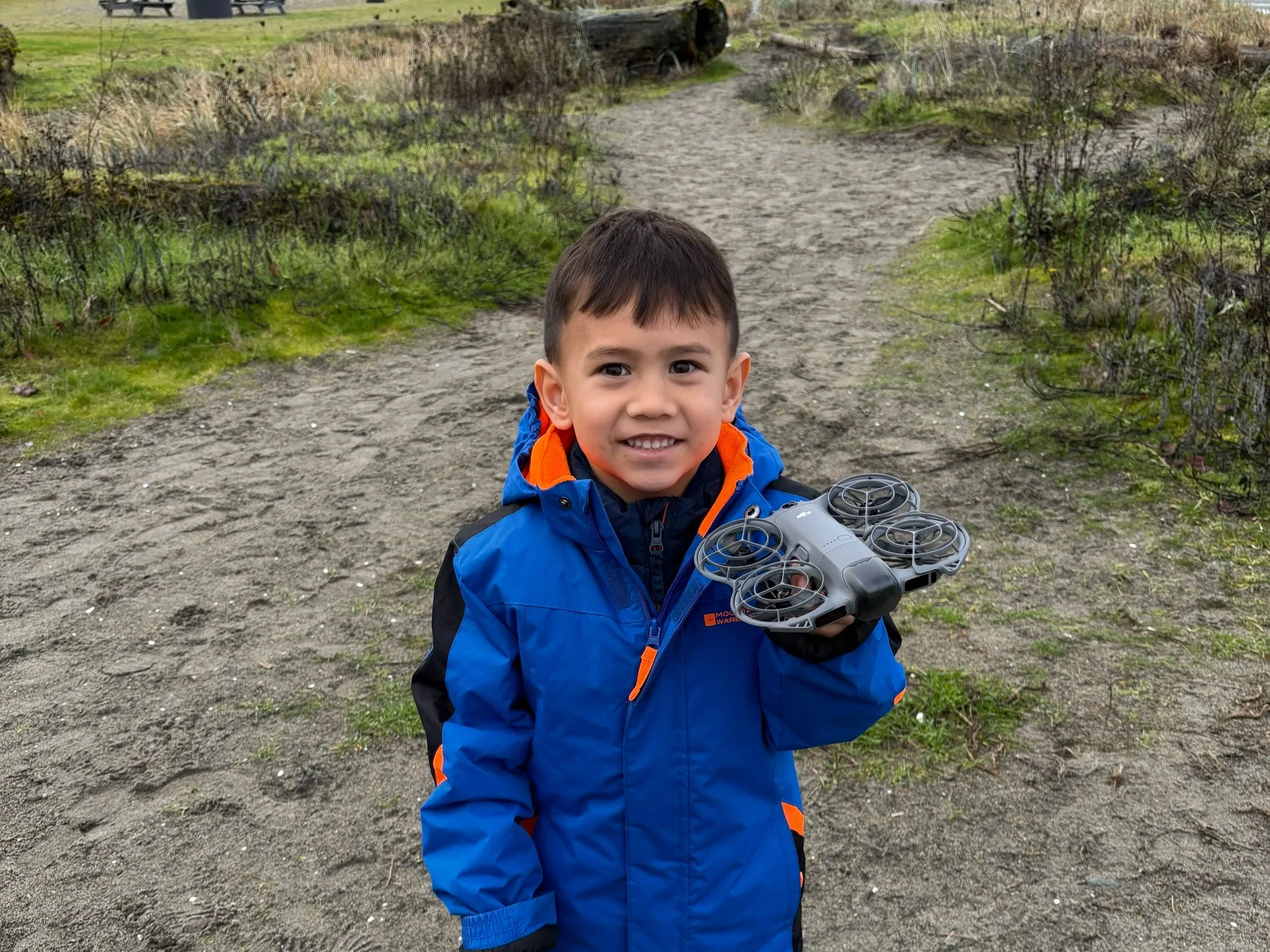
Every time this question comes up, people make it way harder than it needs to be.
“What’s the best drone for kids?”
You’ll see a bunch of articles talking about safety, specs, beginner modes, all that stuff… and yeah, some of that matters.
But honestly, most of it doesn’t.
Because the real question isn’t “what’s the best drone?”
It’s “what’s the best drone that my kid won’t immediately smash into something and make me regret buying it?”
That’s the decision.
So let’s not overthink it.
If you’re buying a drone for a kid, there are really only two directions I’d even consider. And one of them is the obvious answer.
The one I actually bought for my kid is the DJI Neo 2.
This thing is almost stupid in how easy it is to use.
You don’t even need a controller. Pull it out, press a couple buttons on the side, and boom—it’s following you around like a little flying puppy. It’ll chase your kid around the yard, the park, wherever you are, and just… work.
That’s the magic.
Because kids don’t want to stand still and carefully line up cinematic shots. They want to run around like lunatics and see what happens.
This lets them do that.
And the big thing—and this is the part people don’t talk about enough—you can crash it.
Not “you might crash it.”
You will crash it.
Fence, tree, bush, side of your truck, probably your own head at some point. And instead of that gut-punch feeling you get with a normal drone, you just walk over, pick it up, dust it off, and send it again.
That alone is why it makes sense.
If you’re flying it with a controller, same deal. It’s forgiving. You don’t feel like every mistake costs you a pile of money and your dignity.
And if you’ve got a couple extra batteries, you can keep a kid running around for a solid 30–45 minutes, which—let’s be honest—is a win in itself.
Now, if you’re sitting there thinking, “okay, but I want something a bit more like a real drone,” then yeah—you should look at the Lito 1.
For the price, it looks like it’s bringing a lot of what used to live in the Mini lineup into a more affordable package. Collision avoidance, proper controls, something that actually feels like a drone instead of just a flying camera.
If you want your kid to actually learn how to fly, not just have something follow them around, this is where it starts to make sense.
It’s more stable, more controlled, and you’ll get nicer-looking footage out of it if you care about that.
But it comes with a different reality.
You’re going to be a little more careful.
You’re not just handing it over and saying “have fun, see what happens.” Or maybe you are, but you’re definitely watching a little closer, ready to step in when it heads straight for something expensive.
And yeah, the Lito X1 exists too.
If the budget’s there, it’s kind of impressive what you get. Better sensing, more features, active tracking, quick shots—all the stuff that makes you feel like you know what you’re doing.
From a capability standpoint, it’s not bad at all.
But now you’re in that weird middle ground again. It’s not cheap and carefree like the Neo 2, and it’s not a full-on serious tool either. So you have to ask yourself if you actually need that, or if you’re just convincing yourself you do.
What I wouldn’t do is go buy some cheap toy drone.
They’re frustrating, they don’t fly properly, they break, and they usually end up sitting in a drawer after a week.
If you’re going to do it, do it once and do it properly.
Mini 4 Pro gets a shout out because it’s a great drone. Same with the Mini 5 Pro on paper. But I wouldn’t buy either one for a kid unless you’re planning on flying it more than they are.
They’re just too nice. Too capable. Too easy to turn into a stressful experience instead of a fun one.
And FPV… not for me.
That rhymed. Didn’t mean to.
No offense to anyone who’s into it, I get the appeal. But going out to a beautiful beach and then putting goggles on so I can’t actually see any of it? Yeah… that’s just not my thing.
Maybe if I was curious, I’d mess around with goggles on the Neo 2. But I’m not exactly rushing out to do that either. Call it a grumpy old man take.
So what would I actually do?
If you want something fun, easy, and basically impossible to screw up, get the Neo 2.
If you want something a bit more “real” that your kid can grow into, look at the Lito 1… maybe the X1 if you’re already stretching the budget and want the extra features.
And whatever you do, get DJI Care.
Because kids and drones is not a “maybe something happens” situation.
Something is going to happen.
The best drone for a kid isn’t the one with the best specs.
It’s the one they’ll actually use without getting frustrated… or you getting stressed.
And most of the time, that’s the one that can bounce off a fence and keep flying like nothing happened.
Related Reads
DJI Lito X1 vs Mini 4 Pro: This Changes What Drone I Recommend in Canada
A closer look at how the Lito X1 stacks up against the Mini 4 Pro — and why it might be the better buy for most people now.
DJI Neo 2 After One Month — Insane Value, Easy to Use, and Surprisingly Tough
Real-world use, bumps included, and why the Neo 2 ends up coming everywhere with us whether we plan for it or not.
Best Drone to Buy in Canada (2026): The Honest Answer No One Gives You
Why Canadian drone rules matter more than specs — and how that actually changes what you should be buying.
DJI Lito 1 vs Neo 2: Two Completely Different Drones (So Which One Makes More Sense?)
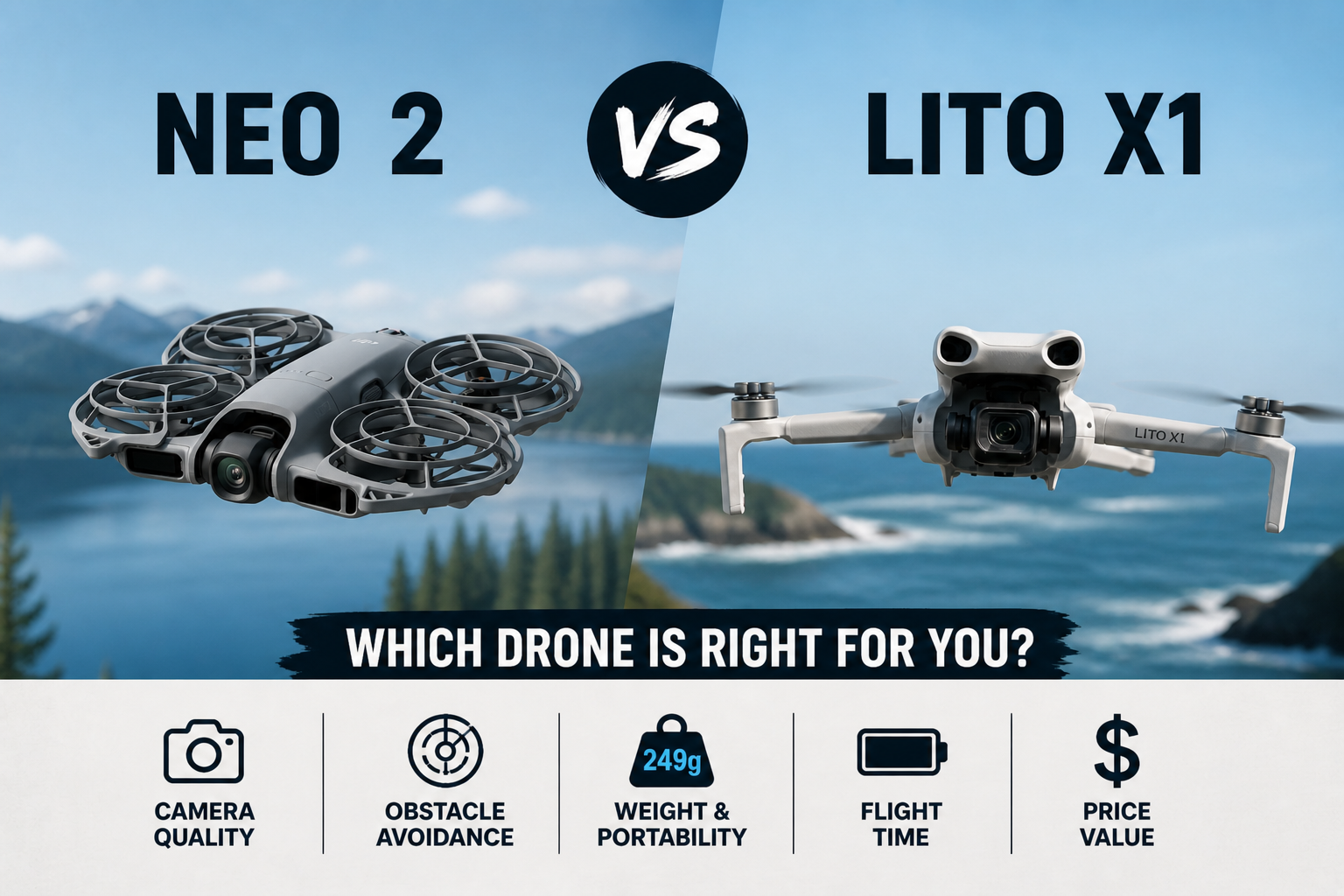
DJI’s made this confusing again, and not in a bad way. Just in that way where you look at two drones that cost roughly the same and go, “okay… what am I actually supposed to buy here?”
Because on paper, the Lito 1 and the Neo 2 end up in the same conversation.
In real life, they’re not even trying to do the same thing.
Before anything else, I’ll just say it—I love the Neo 2. Way more than I expected to. So yeah, there’s some bias here, but I’ll call it out where it matters.
The Neo 2 is basically a flying GoPro that doesn’t care about your plans. It’s the kind of drone you don’t baby. You crash it, you pick it up, you send it again. You bump into something, whatever. It’s fine. That changes how you use it. You stop flying like everything is fragile and expensive, and you start actually using the thing.
Where it really shines is follow-me stuff. That’s its lane. It’s great at tracking people, staying low, moving quickly, and capturing stuff that actually feels like something is happening. If you’re chasing your kid, riding a bike, messing around with a truck, whatever—it just works.
That’s why I keep grabbing it.
But yeah, it’s got limits. Wind pushes it around pretty easily. It’s not something I’m sending up high trying to get some perfect cinematic shot. You’re not hovering over a property thinking about composition and lighting with this thing. It lives low, it moves fast, and it captures action. That’s the job.
The Lito 1 is a completely different mindset.
I haven’t flown it yet, so I’m not going to pretend I know exactly how it feels, but it’s pretty obvious what it’s trying to be. It’s stepping into that old Mini 3 role—the “this is my first real drone” category.
Controller in your hands, thinking about your shots, actually flying with intention instead of just sending it and seeing what happens.
And honestly, for the price, what it looks like you get is pretty impressive compared to what that entry-level category used to be. If you were looking at a Mini 3 a while ago, this is basically the new version of that idea.
It’s going to be more stable, more controlled, and better suited to slower, cleaner footage. If your goal is to learn how to actually fly a drone properly and get something that looks a bit more polished, this is clearly the direction you go.
But it’s not competing with the Neo 2 on fun or ease.
That’s the part people are going to mix up.
The Neo 2 is the one you grab without thinking. The Lito 1 is the one you take out when you’ve decided you’re going to go fly.
Even though they’re both “micro” drones, they’re going to feel completely different. The Neo 2 is light, twitchy, and gets pushed around. The Lito 1 is going to feel more planted, more predictable, more like something you actually control instead of something you kind of just let loose.
So the decision really comes down to what kind of person you are, not what the spec sheet says.
If you just want something fun that you’ll actually use all the time, it’s the Neo 2. No question. It’s easy, it’s forgiving, and you won’t hesitate to take it with you.
If you want to learn drones properly, slow things down a bit, and get cleaner-looking footage, then yeah—the Lito 1 makes more sense.
And if you’re already leaning that way, you’re probably going to start looking at the Lito X1 anyway, because that seems to be where DJI is putting the more serious features now.
For me, I still lean Neo 2 most of the time.
Not because it’s “better,” but because it actually gets used. It leaves the house, it gets thrown in a bag, it gets handed to a five-year-old, it gets suction-cupped to the side of a truck, and it just keeps going.
The Lito 1 is the better drone.
The Neo 2 is the one you’ll probably use more.
And if you’re being honest about how you actually live with this stuff, that usually ends up being the decision that matters.
This is also where checking the current pricing helps, because these two are close enough that the better choice really depends on what you want it for.
If you want the more traditional “first real drone” experience, check the latest DJI Lito 1 pricing on Amazon
If you want the fun little flying camera you’ll probably throw in a bag and use constantly, check the latest DJI Neo 2 pricing on Amazon
And if you’re already looking at the Lito 1 and thinking, “yeah, but what about the better one?” — check the latest DJI Lito X1 pricing on Amazon
Because that’s usually how this goes.
You start by comparing two sensible little drones.
Then five minutes later you’re justifying the upgrade like it was your idea all along.
Related Reads
Hiring a Drone Pilot in Victoria, BC — What It Costs and What You Get
Straightforward pricing, what’s included, and what the process looks like if you need aerial photos, video, inspections, or a better look at something from above.
DJI Air 3S vs Mini 5 Pro in Canada: When Bigger Still Makes Sense
The Mini 5 Pro is seriously capable, but if it’s not comfortably a micro drone in Canada, the Air 3S starts looking a lot more interesting — especially with dual cameras, bigger battery life, and real confidence in coastal wind.
DJI Neo 2 Review: The Best First Drone for Kids, Creators, and Wannabe Jedi
A tiny follow-me drone with palm launch, gesture control, prop guards, and just enough weird DJI wizardry to make you feel like you’re using the Force. Great for kids, creators, hikers, bikers, and anyone who wants a drone they’ll actually use.
DJI Osmo Nano vs Your Phone: What I Actually Reach For
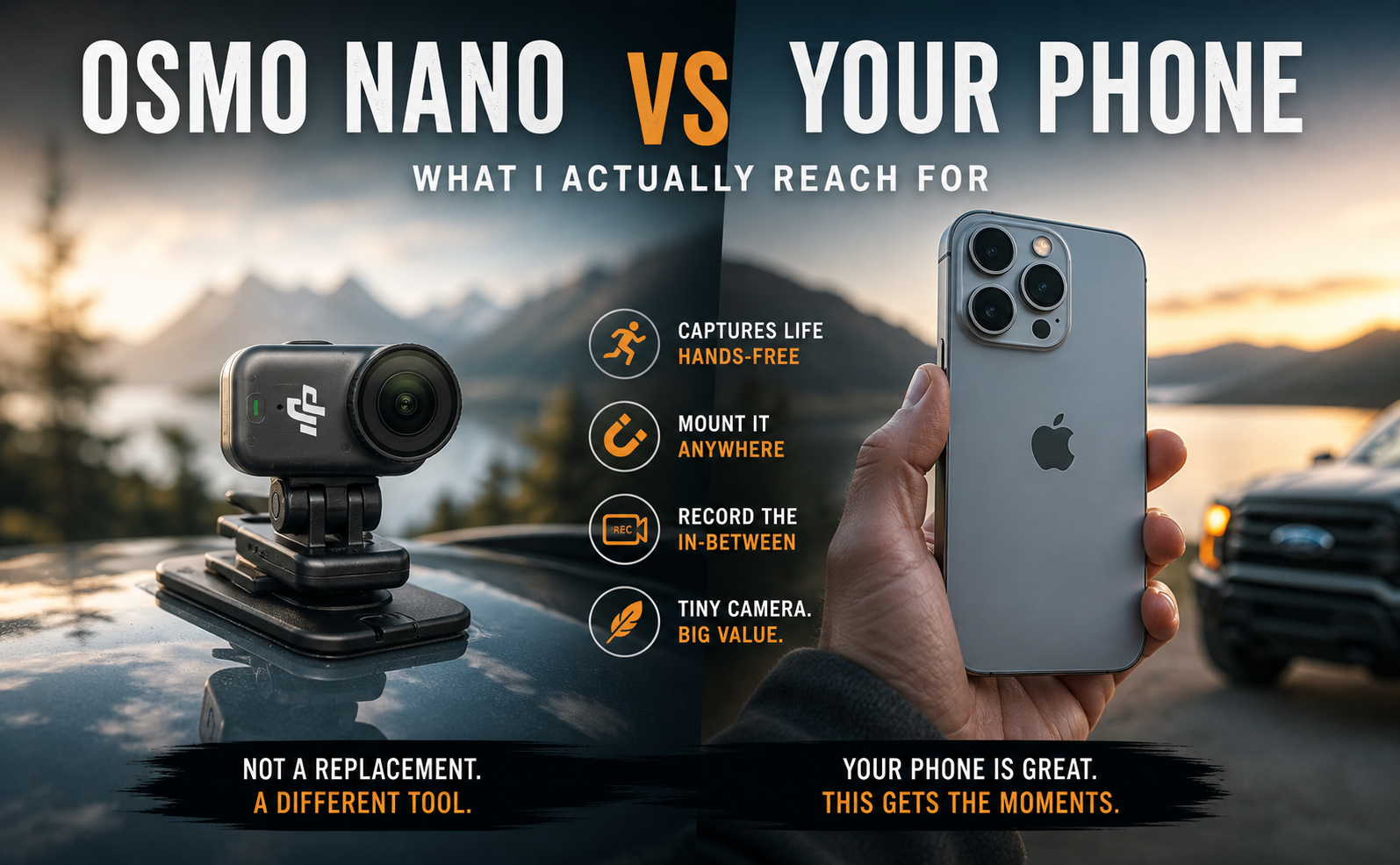
Everyone’s got a ridiculous camera in their pocket now, so let’s not pretend this thing replaces your phone.
It doesn’t.
Your phone is still better at a lot of stuff. Quick photos, zoom, texting something to someone right away—obviously you’re grabbing your phone.
So the real question is why you’d bother with something like the DJI Osmo Nano at all.
And for me, it comes down to one thing.
Your phone is great when you stop and decide to film something.
The Osmo Nano is better when you just keep doing whatever you were already doing and it captures it anyway.
That’s the whole difference.
I’ve got a five-year-old, and between Vancouver Island Drones and Rhyno & Son Co., I’m constantly doing stuff where I could film it… but I don’t feel like standing there holding a phone.
Working on the truck is the perfect example.
If I’m under the hood, wrenching on something, the last thing I’m doing is grabbing my phone, setting it up, checking angles, hitting record. It just doesn’t happen. Same thing if we’re out driving, or Blake’s messing around, or we’re doing something halfway interesting but not “worth filming” enough to stop everything.
That’s where this thing makes sense.
I’ll suction cup it to the hood, the roof, the side of the truck, wherever. Or clip it onto one of us. Or yeah—strap it to my kid and just let him go. That footage is never going to be perfect, but it’s always something. And most of the time, it’s better than the nothing I would’ve had otherwise.
That’s kind of the whole point.
It fills in the gaps.
Because realistically, most of the stuff you end up caring about later isn’t the perfectly framed shot. It’s the random moment where something actually happened. A comment, a reaction, a screw that didn’t come out the way it was supposed to, Blake saying something ridiculous while I’m trying to focus—whatever.
That’s the stuff this thing captures.
And for something this small, it’s actually pretty capable. The video’s solid, the onboard mic is decent, and if you’re already in the DJI ecosystem it’s stupid easy to add their mics without turning it into a whole production.
The mounting options are what make it useful though. Magnetic, suction, whatever—you can put it places your phone just doesn’t make sense. I’m not suction cupping my phone to the hood of my truck and hoping for the best. This thing? No problem.
The dock is one of those things that sounds gimmicky until you use it. Being able to have the camera somewhere else and still see what it’s seeing, start and stop recording, that kind of thing—it’s just easy. Especially if it’s mounted somewhere you can’t reach or, again, attached to a five-year-old who has zero interest in camera operations.
Your phone still wins most of the normal situations. If I want a quick shot, I use my phone. If I need something right now, I use my phone. If I don’t feel like dealing with another device, I use my phone.
But this thing gets used in all the situations where my phone would be annoying or I just wouldn’t bother.
And because of that, it ends up getting used more than you’d think.
It’s not replacing anything. It’s just capturing the stuff in between.
And honestly, that’s where most of the good stuff is anyway.
Check out the latest price on the DJI Osmo Nano here.
Related Reads
DJI Osmo Nano: A Tiny Camera We Take Everywhere (and Abuse Daily)
A more direct look at how the Nano fits into our actual kit and why it keeps ending up in the bag.
DJI Neo 2 After One Month — Insane Value, Easy to Use, and Surprisingly Tough
Another tiny DJI product that makes more sense once you stop comparing specs and start looking at what actually gets used.
Drone Gear I Use Or Recommend
The gear page for the drones, cameras, mics, and little gadgets that have actually earned